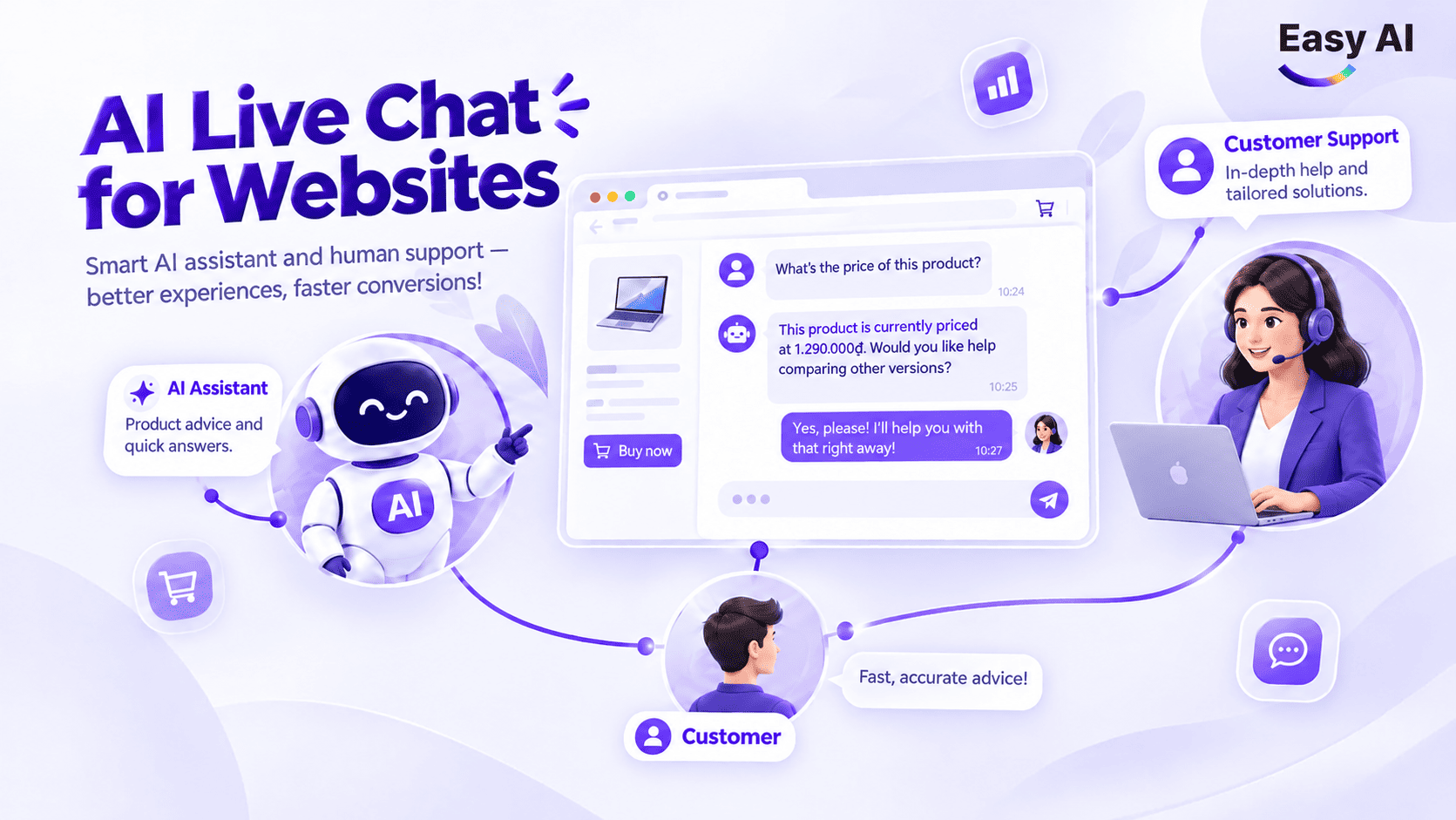





What Is a Ticketing System? A Business Guide
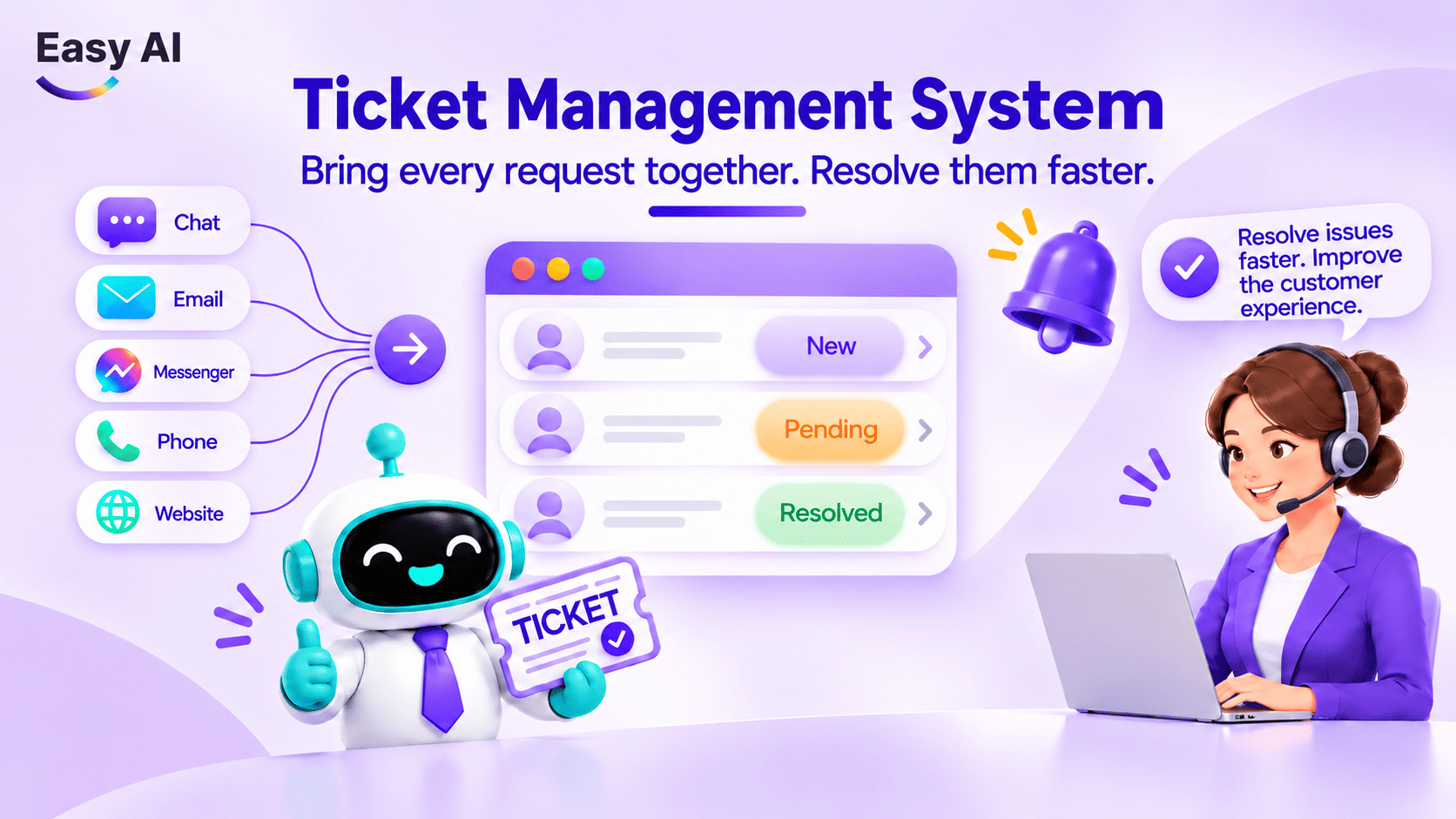
When customers send requests through Facebook, Zalo, a website, live chat, or a call center, teams may receive them in different places and pass work between multiple people. Without clear context, ownership, and status, it can be difficult to know which requests are waiting, who needs to act next, and which cases risk being overlooked.
A ticketing system standardizes how each request is recorded, assigned, and tracked through to resolution. Its value lies not in putting messages on one screen, but in maintaining ownership and a history of actions throughout the process.
1. Overview of ticketing systems
1.1 What is a ticket?
A ticket is a record representing a request, issue, or task that needs to be tracked. Each ticket typically contains an identifier, customer information, request details, the time it was received, the person or team responsible, priority, status, and processing history.
A ticket is related to a conversation, but the two are not the same:
- Message is an individual piece of content sent by a customer or employee.
- Conversation is an exchange between parties on a channel or during an interaction.
- Support request is an issue the customer needs the business to address. It may arise from one or more conversations.
- Ticket is a work record that lets the business assign responsibility, track progress, and record the outcome.
- Order records a sales transaction. An order may be related to a ticket, but it does not replace a ticket for managing requests.
For example, a customer asks about delivery time and then reports that a product is faulty. The conversation is the full exchange; the support request is the need to inspect and address the faulty product; and the ticket is the record assigned to an employee to track through to resolution.
1.2 What is a ticketing system?
A ticketing system is software or a digital process that helps a business create, categorize, assign, update, and retain the history of tickets. The terms Ticket Management System and Ticketing System are commonly used to refer to a system for managing tickets; the plural is ticketing systems.
A ticket can be created from a customer request, an internal task, or an operational incident. In customer service, the system typically helps the team see where a request came from, who is handling it, and what needs to happen next.
Ticket CRM typically refers to ticket management within, or connected to, a CRM system (customer relationship management). The name does not guarantee a fixed set of features: each platform may organize tickets, customer records, and team workflows differently.
Real-world example of a ticketing system:
A customer messages a business on Facebook to request a warranty service. An employee creates a ticket, records the product information, the date received, and the issue reported by the customer. The ticket is categorized as a warranty request and assigned to the technical team.
The technical team updates the inspection results in the same ticket. Customer service then uses that history to inform the customer and confirm the next step. Once the request is complete, the ticket is marked as resolved and its history is retained.
The customer may send another message later. The team still has a record to refer to, but how a new request is linked to an older ticket depends on the process and features of each system.
2. How does a ticketing system work?
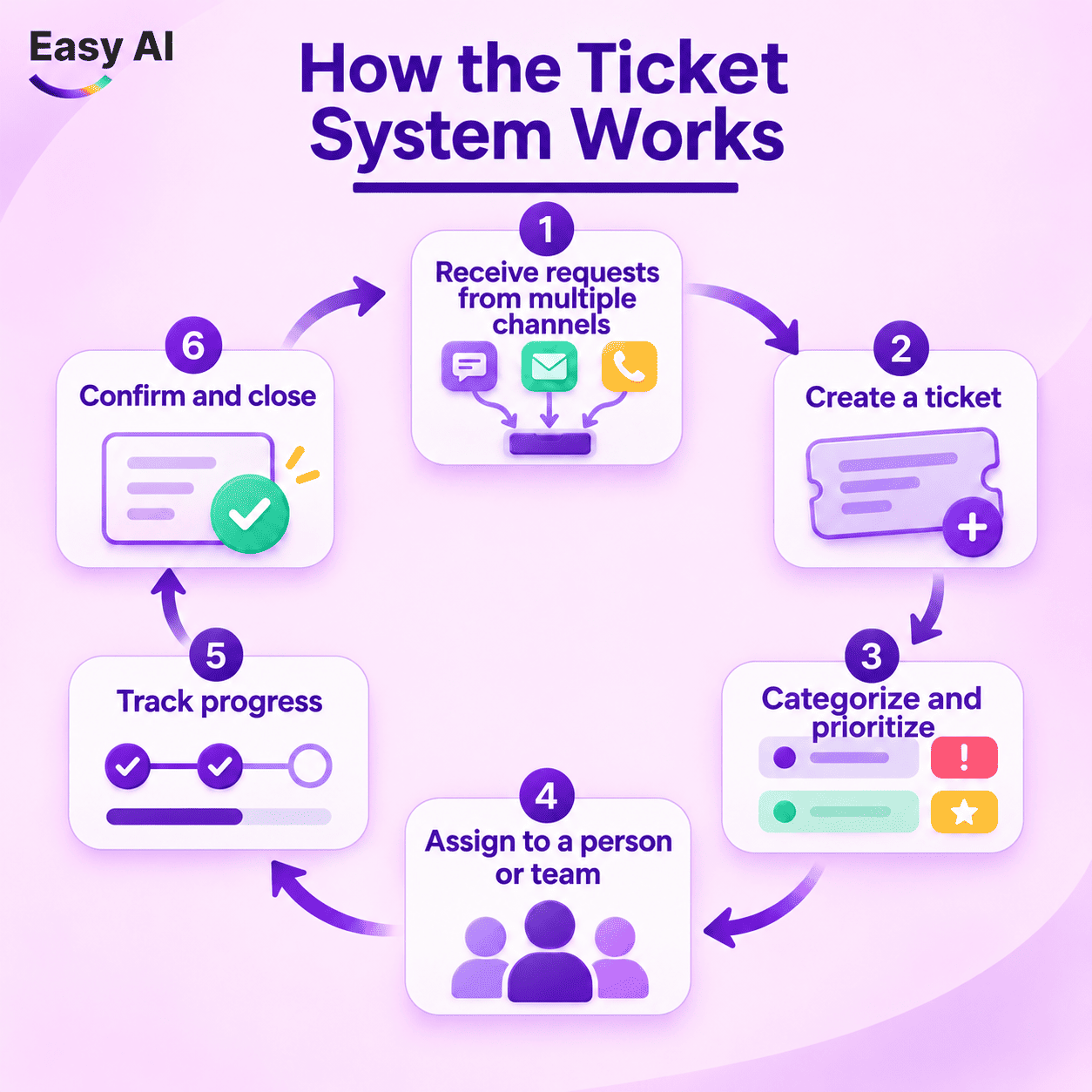
A ticket workflow typically has six steps. Status names, automation capabilities, and integration levels vary by platform, so businesses need to configure the system to fit their actual processes.
- Step 1: Receive requests from multiple channels. Requests may come from Facebook, Zalo, a website, live chat, email, or a call center if the system has the appropriate connections.
- Step 2: Create a ticket. The system or an employee records the details, creates a ticket ID, and links the ticket to a conversation or customer profile when the available data allows.
- Step 3: Categorize and prioritize. The team adds a request type, label, or priority so it can determine what needs attention first.
- Step 4: Assign a person or team. The ticket is assigned to an employee, team, or queue. Some systems support automatic assignment rules; businesses should confirm this feature based on the platform and configuration.
- Step 5: Track progress. The owner updates the status, adds internal notes, and hands off the ticket when needed. SLA (service-level agreement) tracking is available only in some platforms or service plans.
- Step 6: Confirm and close. The employee communicates the outcome, confirms that the request has been addressed, and closes the ticket according to the business’s process.
| Step | What happens | Role/output |
|---|---|---|
| Intake | Record the channel and initial details | The system or an employee creates the starting point |
| Ticket creation | Assign an ID and link available data | A record is available for reference |
| Categorization | Add a type, label, or priority | The request goes to the right group |
| Assignment | Assign an individual, team, or queue | Someone is accountable |
| Tracking | Update status, history, and notes | Managers can see progress |
| Ticket closure | Confirm the outcome and retain the history | The handling lifecycle ends |
3. Important features of a ticket management system
Not every system has the same features. When evaluating a product, businesses should check each function against the processes and channels they currently use.
3.1 Centralized conversation management
- Problem: Conversations scattered across different channels make them harder for employees to find. Managers may struggle to see how many requests are waiting, and customers may have to repeat information.
- Mechanism: A system can bring conversations from integrated channels into one place, where teams can view, respond, and hand them off. The degree of linkage to tickets and customer profiles depends on the implementation.
- Value: Employees have more context when they receive a request. Managers can track work instead of checking each inbox separately.
3.2 Automated categorization and assignment
- Problem: When request volume rises, managers have to read and route chats manually. Assigning a request to the wrong team or leaving it in a queue for too long can slow down the process.
- Mechanism: Some systems allow businesses to create rules based on channel, request type, keywords, time of day, or customer group. These rules can add labels, set priorities, or assign tickets.
- Value: Teams do less repetitive work and can route requests more consistently. Businesses should check the trigger conditions, how rules can be edited, and what happens when the system cannot categorize a request.
3.3 Status, history, and progress
- Problem: A request may pass between customer service, Sales, and technical teams. If each step is discussed in a different place, the next person may not know what has already been done.
- Mechanism: A ticket records status, actions taken, update times, and internal notes if the platform supports them.
- Value: Employees can review the history; managers can see whether a request is open, waiting, or resolved. Do not assume every system includes SLA tracking or overdue alerts.
3.4 AI for conversation classification and analysis
- Problem: Employees may need to read many conversations to identify topics, needs, or details that require attention.
- Mechanism: When AI features are available, the system can summarize conversations, suggest topics, identify sentiment, or support classification. These results can help employees get up to speed faster.
- Value: AI helps employees prioritize and process information. Its ability to respond automatically, hand off requests, or take action depends on configuration and granted permissions; AI cannot be assumed to resolve every request. Cases requiring expertise, exception handling, or business approval still need a human.
3.5 Reporting and performance
- Problem: Message volume alone does not fully show the number of requests, bottlenecks, or the team’s handling capacity.
- Mechanism: Depending on the platform, reports may summarize tickets by status, team, channel, time, or employee.
- Value: Businesses can track KPIs such as first response time, first-contact resolution rate, and the number of tickets or conversations handled per employee. Define the calculation, time period, and channel scope clearly to make valid comparisons.
4. Benefits of a ticket management system
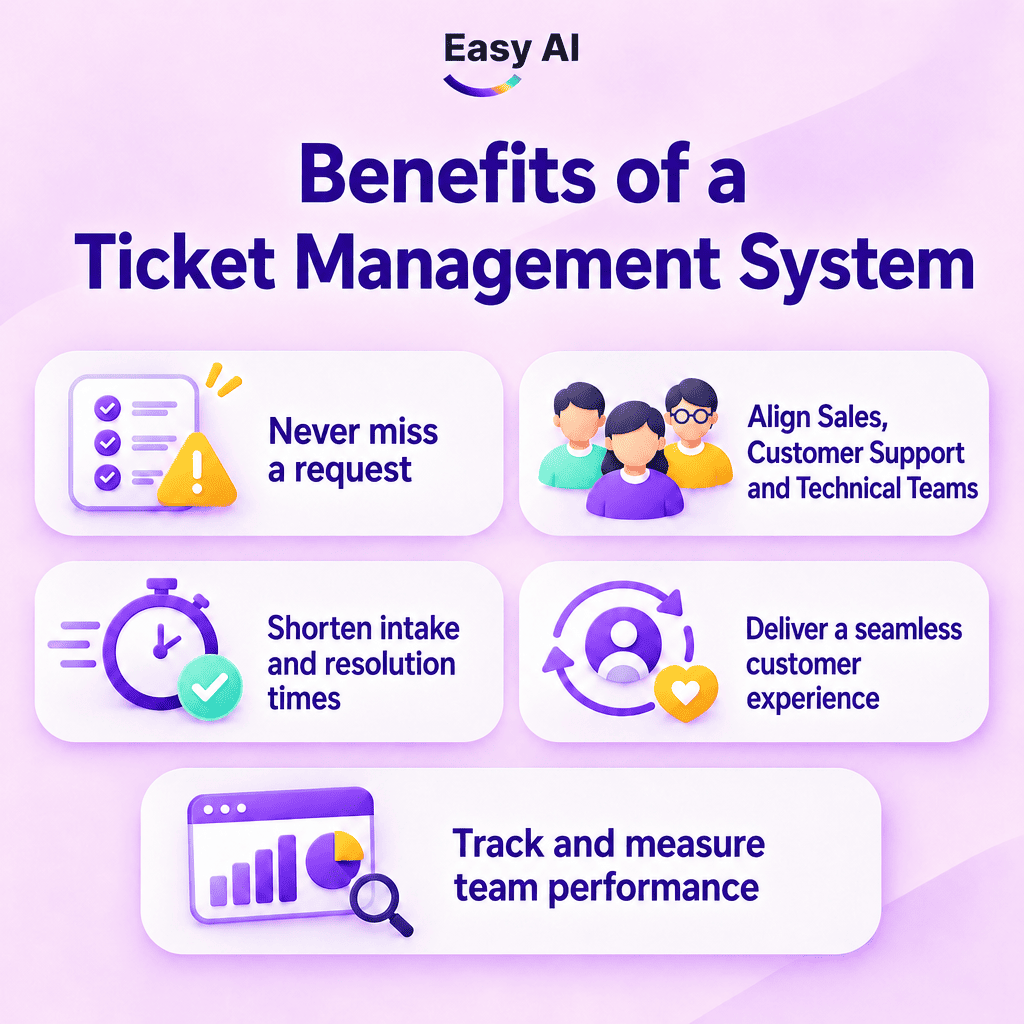
- Fewer overlooked requests: A ticket creates a record with an ID, status, and owner. When a request is open or waiting, the team can find it in a work queue instead of relying on memory or reminders across multiple channels.
- Coordination between Sales, customer service, and technical teams: A request may need input from several teams. A ticket records the handoff, the action required, and any updated outcome. The next person has a shared reference point instead of having to ask for everything again.
- Less time spent on intake and handling: Categorization templates, labels, and assignment rules can reduce repetitive tasks when configured correctly. Actual results also depend on process standardization, data quality, and how well the team can use the system.
- A continuous customer experience: When tickets are linked to conversations or customer profiles, employees can review information the customer has already provided. Customers have a reference point for continuing the conversation with another employee without repeating everything—provided the relevant data and channels are properly connected.
- Work tracking and measurement: Status and history help managers see the open workload, which teams are handling requests, and which cases need review. Businesses should track first response time, first-contact resolution rate, and tickets or conversations per employee. These KPIs need to be set up and measured using actual data; they are not automatic software outcomes.
5. Standalone ticketing systems vs. ticketing systems integrated with CRM
A standalone ticketing system focuses on receiving and tracking requests. A ticketing system integrated with CRM places requests in the broader context of customer relationships, profiles, and workflows. Specific capabilities depend on the product and how data is connected.
| Criteria | Standalone ticketing system | Ticketing system integrated with CRM |
|---|---|---|
| Primary goal | Manage requests and handling progress | Manage requests in the context of customer relationships and workflows |
| Customer profile management | May store basic request data | Can link tickets to CRM profiles if configured |
| Interaction history | Focuses on ticket history or connected channels | May provide a broader interaction history if interactions are synced |
| Link to Sales | Usually requires a separate process or integration | Can connect tickets to Sales activities based on configuration |
| Customer segmentation | Depends on system data and features | Can segment based on CRM information; data sources should be reviewed |
| Data utilization | Primarily supports ticket operations | Can support broader customer workflows when the relevant data is integrated |
| Reporting and management | Focuses on ticket volume, status, and progress | Can combine customer data and workflows if the system supports it |
| Suitable for | Teams starting with a request-handling process | Businesses seeking to connect customer service with Sales and customer profiles |
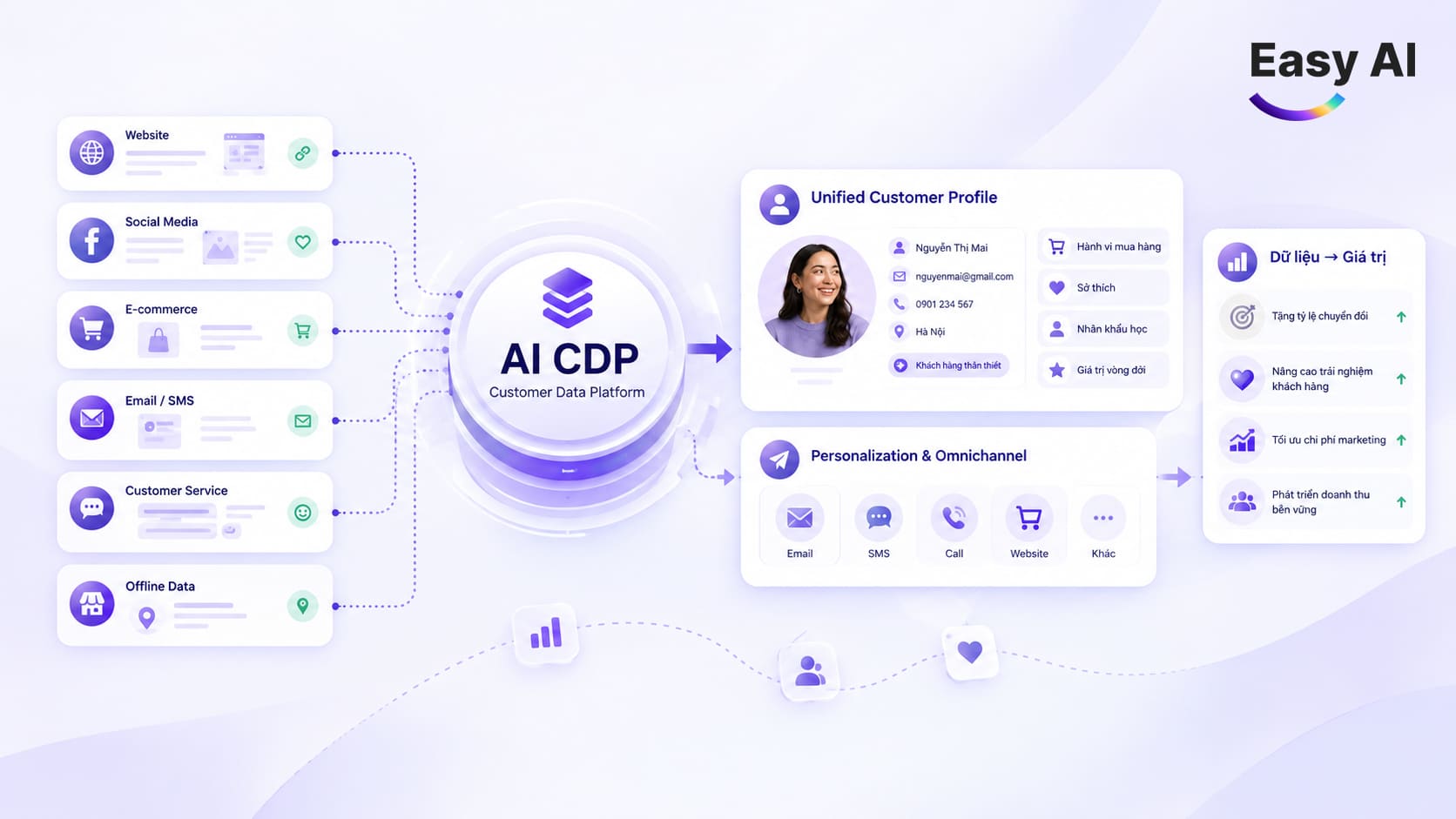
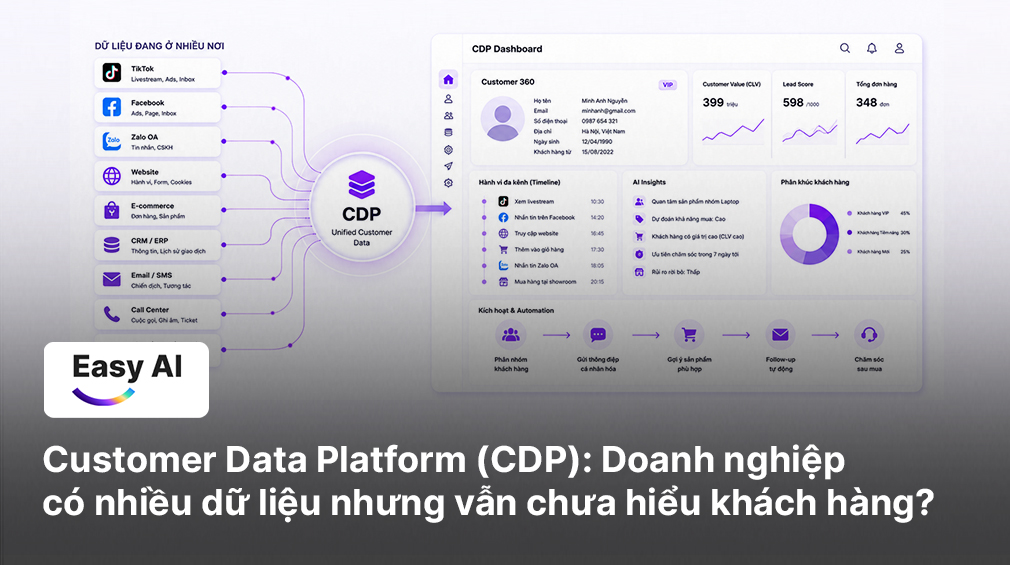
CRM manages customer relationships and related processes, such as Sales activities or service history. CDP (customer data platform) focuses on unifying profiles and behavior from multiple sources so businesses can segment, analyze, and activate data as needed. CRM and CDP can complement each other, but they are not interchangeable concepts.
If a business needs to control queues, ownership, and status, a standalone ticketing system may meet its initial operational needs. If Sales and customer service teams need to share customer context, the business should evaluate CRM integration. If it needs to unify data from multiple sources for segmentation and customer engagement, it should consider the role of a CDP.
6. Criteria for choosing a ticketing system
- Channel integrations: Which channels the business uses can the system connect to: Facebook, Zalo, a website, live chat, email, or a call center? Can interaction history be viewed within the same workflow? Test the actual accounts, regions, and service plan you expect to use instead of relying only on the channel list in product materials.
- Lifecycle management and assignment: Can tickets be created, assigned, moved between teams, updated, and closed according to the current process? Can managers see the owner and status? If automated rules are needed, check the trigger conditions, how unclassified tickets are handled, and how incorrect assignments can be reviewed.
- Integration with CRM, CDP, and existing systems: Can tickets be linked to customer profiles, order data, or the current CRM? If a CDP is needed, clarify which data will be unified, which identifiers will be used, and how synchronization will work. Do not assume every connection is available just because the platform generally supports integrations.
- AI and automation: What can AI do within the system: summarize, suggest content, categorize, respond to customers, or route requests? Which cases are handed off to a human? Businesses should check how AI uses data, what access it has, and whether employees can review its output before action is taken.
- Reporting: Can ticket counts be filtered by time, channel, team, and employee? Do the definitions of first response time and first-contact resolution rate fit the way the business operates? Create a sample report and compare it with the source data before setting KPIs.
- Security and permissions: Who can view customer profiles, ticket content, and internal notes? Can access be assigned by team or role? Businesses should review data storage, export procedures, account management, and the personal data protection obligations that apply to their operations.
- Scalability: If the business adds locations, channels, or teams, can the system maintain appropriate permissions and reporting? Check costs at different scales, usage limits, and support capacity during the transition.
7. Case Study: How Laptop88 standardized omnichannel customer service and managed more than 41,000 tickets with Easy AI
- Background: Laptop88 is a laptop retail chain that combines online and offline sales. It receives customer inquiries across a multi-touchpoint journey spanning its website, Facebook Messenger, Zalo OA, and the CareSoft call center.
- Challenge: Fragmented operations meant conversation data was scattered. Managers had to assign chats manually, creating overload during peak hours. The team risked missing messages outside business hours and found it difficult to track requests requiring coordination across multiple departments.
- Solution: Easy AI implemented a centralized ticket and conversation management system that brought all touchpoints onto one screen, synced more than 29,000 tickets from CareSoft, standardized the handling lifecycle (Open – Pending – Resolved), automatically routed requests according to rules, and used an AI Chatbot to receive requests 24/7 with full context before handing them over to employees.
- Results: A team of 21 staff managed more than 41,000 tickets centrally and transitioned fully to working in Easy AI from April 2026. According to published figures after 3 months of implementing the overall conversation solution, the business recorded a 40–60% increase in customer response rate, AI support in 30–50% of conversations, and a 20–30% increase in digital interactions.

8. Easy AI’s ticket management system
Businesses need to connect requests with conversations, customer profiles, and handling processes. Easy AI positions its platform as a Revenue AI OS, combining ticket and conversation management with AI Chatbot, Livechat, and CDP to help businesses operate based on data and workflows.
Centralized conversation management and organization
Depending on configuration and integrations, channels can include websites, Messenger, Instagram, Zalo OA, personal Zalo accounts, WhatsApp, Telegram, and Shopee. This list does not mean every account or channel is available by default; businesses should confirm the integration scope in their implementation plan.
In one screen, employees can work with the conversation list, chat content, and customer profiles based on connected data. If order data or purchase history has been integrated, employees can look it up within the scope supported by the system.
AI can respond based on business data; when an employee is needed, the team takes over the conversation. Filters by channel, status, owner, or label help employees find the right conversation faster. Learn more about [AI Chatbot] and [Livechat] to see how these touchpoints can connect to customer service workflows.
Ticket management and processing assignment
A ticket can contain an ID, original conversation, status, owner or responsible team, priority, labels, and notes. The “Mine” queue lets employees view requests assigned to them.
Businesses can configure routing by channel, content, or time of day when the process and integrations meet the requirements. It is important to define which cases are assigned automatically, which require a manager to assign them, and who is responsible when a request changes teams.
AI for conversation classification and analysis
Depending on the features and service plan, AI can help summarize conversations, suggest content, or identify topics or sentiment for the team to review. Managers can use this information to pay attention to groups of requests that need review.
According to the professional plan description, ticket and employee performance reports may be included among the AI features. Businesses should confirm the reporting scope, calculations, and input data before using reports to evaluate operations. AI helps employees read and analyze; it should not be assumed to make decisions or resolve every case on its own.
Automatically capture leads from conversations
When a customer needs sales advice, AI can assess the lead and assign a status or reason based on configuration. A form in the chat window can collect a name, phone number, email address, and need. If configured, lead data can be saved to the CDP along with interaction history.
Sales can use segmentation to continue customer engagement, create deals, and track them according to the business’s process. This connects customer service with sales opportunities; business results depend on the data, scenarios, and how the team handles them.
9. Conclusion
A ticketing system helps businesses record requests, assign an owner, and track progress through to resolution. When tickets are connected to conversations, CRM, or CDP, teams have more context for collaboration. AI can support certain steps based on configuration, while employees take over when expertise or exception handling is needed.
Businesses managing customer service across multiple channels can start by reviewing request types, handoff points, and the KPIs they need to track. Register for an Easy AI consultation or demo to assess your ticketing process and a suitable implementation plan with us.
Topics
FAQ
Recommended for you