AI Live Chat for Websites: Setup and Conversion Optimization
A visitor is considering a purchase but cannot find an answer about a product, price, or policy. If no one is available to respond in live chat, they may leave the website before the business can reply. AI live chat helps businesses handle some questions automatically and route situations that need human judgment to an employee. However, results depend on more than the chatbot. Data quality, conversation rules, handoff processes, and how performance is measured all affect the experience. This article explains how AI live chat for websites works, what to prepare before implementation, and how to assess whether it fits your business’s sales and customer service processes.
1. What is AI live chat for websites?
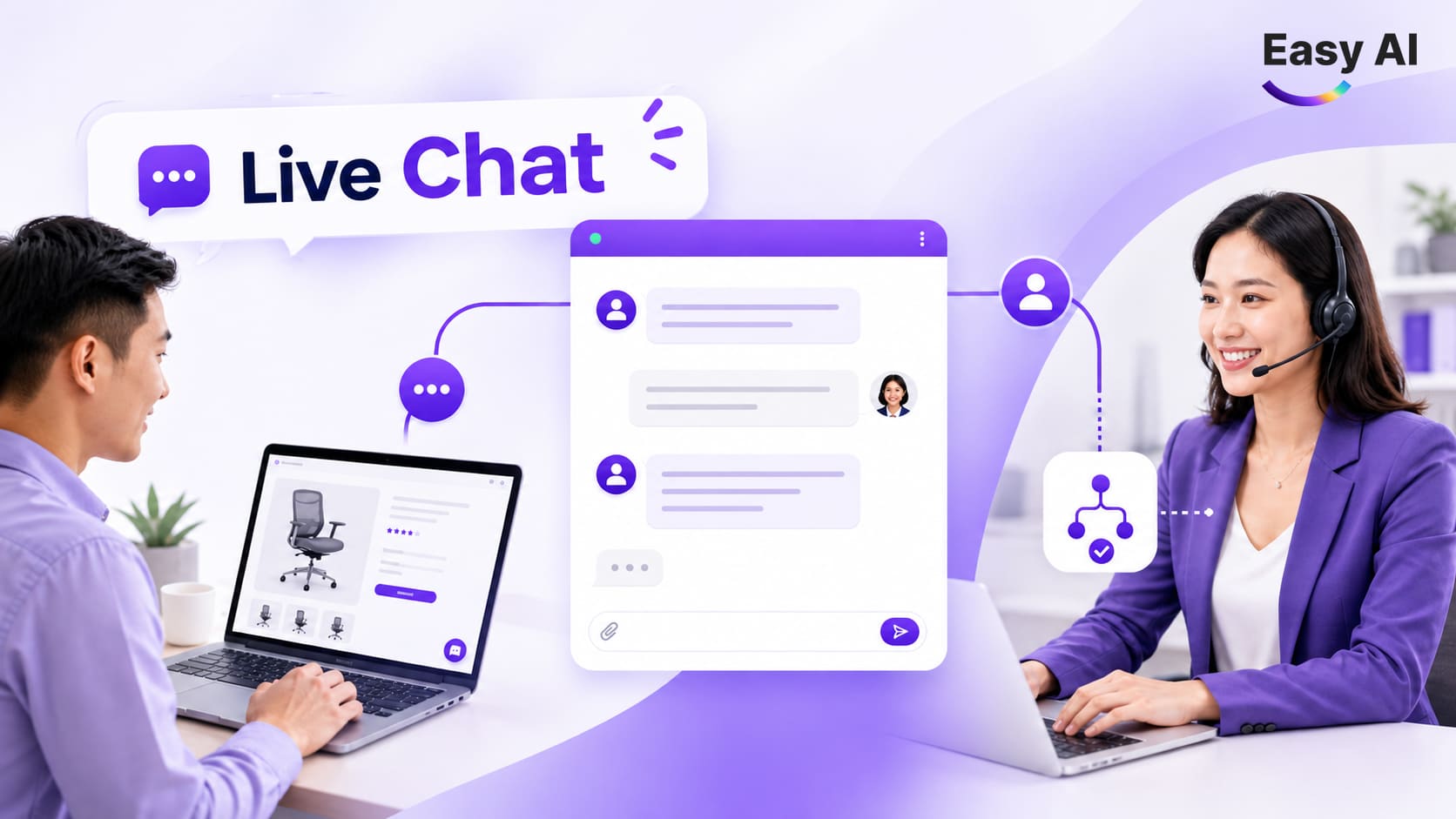
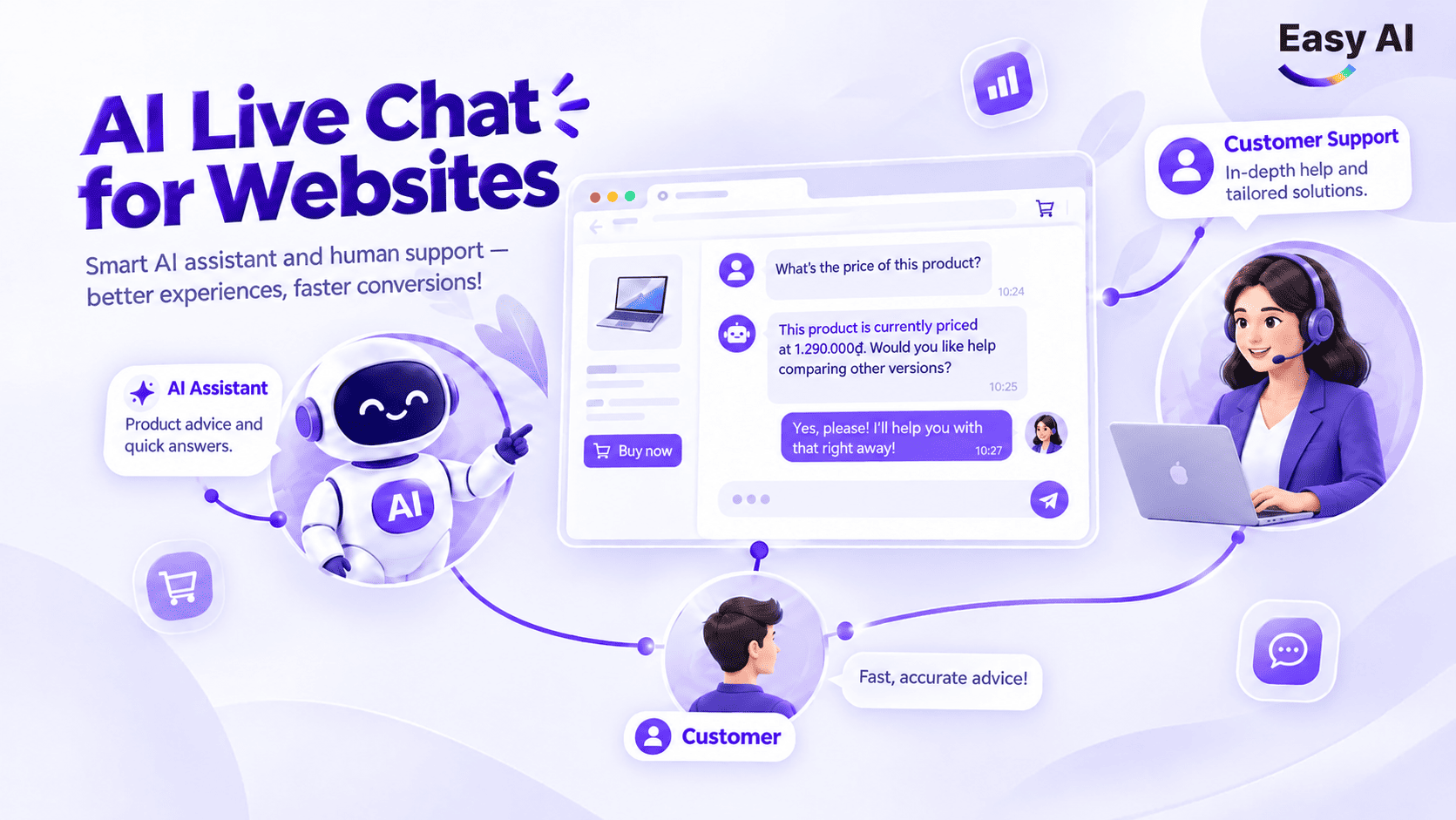
In this article, AI live chat for websites refers to a combination of three components: a chat interface on the website, AI that handles conversations based on the information provided, and employees who take over when a situation requires a human. It is more than an automated chat box. The system can help answer questions, gather customer needs, or route conversations according to configured rules.
Its practical value also depends on the data and processes behind it. If product information is outdated, answers may be inaccurate. If the business has not defined who receives escalated conversations, customers may still have to wait even when AI has identified their needs.
AI live chat does not mean that AI has access to every business system. Its ability to look up prices, stock levels, appointments, or customer records depends on the data connected to it and the access permissions configured. Without the appropriate integrations, AI should answer only within the scope of the information available to it.
2. How does AI live chat for websites work?
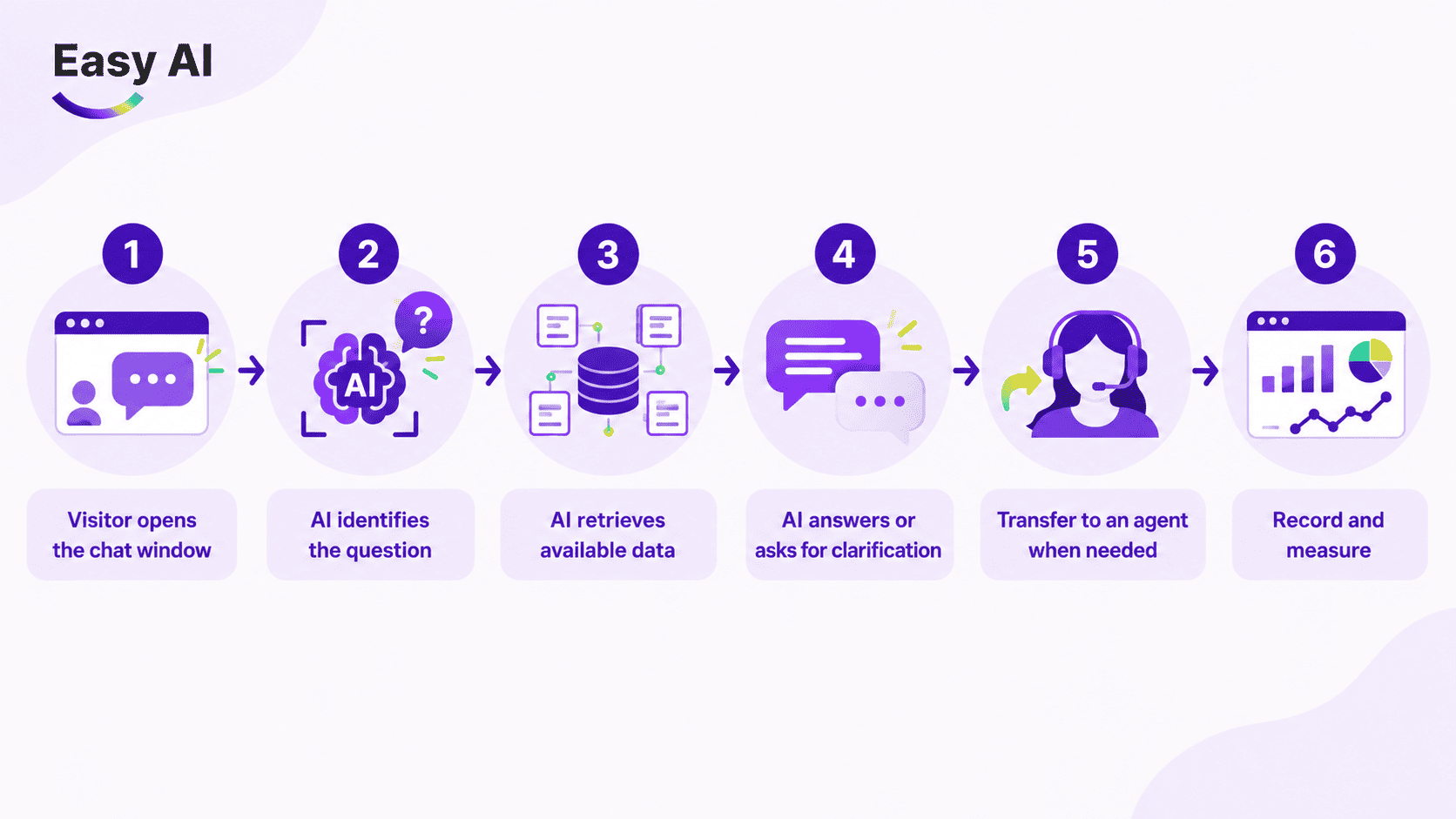
A typical implementation follows six steps. The specific process depends on the platform, data, and rules configured by the business.
- The visitor opens the chat window: The visitor goes to a product, service, or contact page and starts a conversation.
- AI identifies the question: The system analyzes the message to determine whether the visitor is asking for information, looking for a product, or seeking other support.
- AI retrieves the data it has been granted access to: Answers are based on the knowledge sources or business systems that have been configured. If relevant data is unavailable, AI should not make assumptions.
- AI answers or asks a clarifying question: When a question lacks details, AI can ask for more information to identify the visitor’s needs, such as their budget or intended use.
- The conversation is routed to an employee when needed: The conversation is transferred according to configured rules—for example, when the visitor requests direct advice or asks something outside AI’s scope.
- The conversation is recorded and measured: The business tracks conversations, handling outcomes, and relevant metrics. Linking conversations to leads or orders requires an appropriate tracking method.
For example, a visitor asks: “I need a laptop for around 20 million VND for basic graphic design.” AI can ask about the software they use or whether they need to travel with the laptop, then make recommendations based on the product information the business has added to the system. If the data does not include current prices or stock levels, AI should not claim that a product is in stock or that its price is still valid. If the visitor wants to confirm a promotion or place an order, the system can route the conversation to Sales according to its configuration.
3. Business use cases for AI live chat on websites
AI live chat is best suited to situations involving recurring questions, clear reference data, and defined handoff processes. Businesses should not automate every conversation simply because a chatbot can be added to the website.
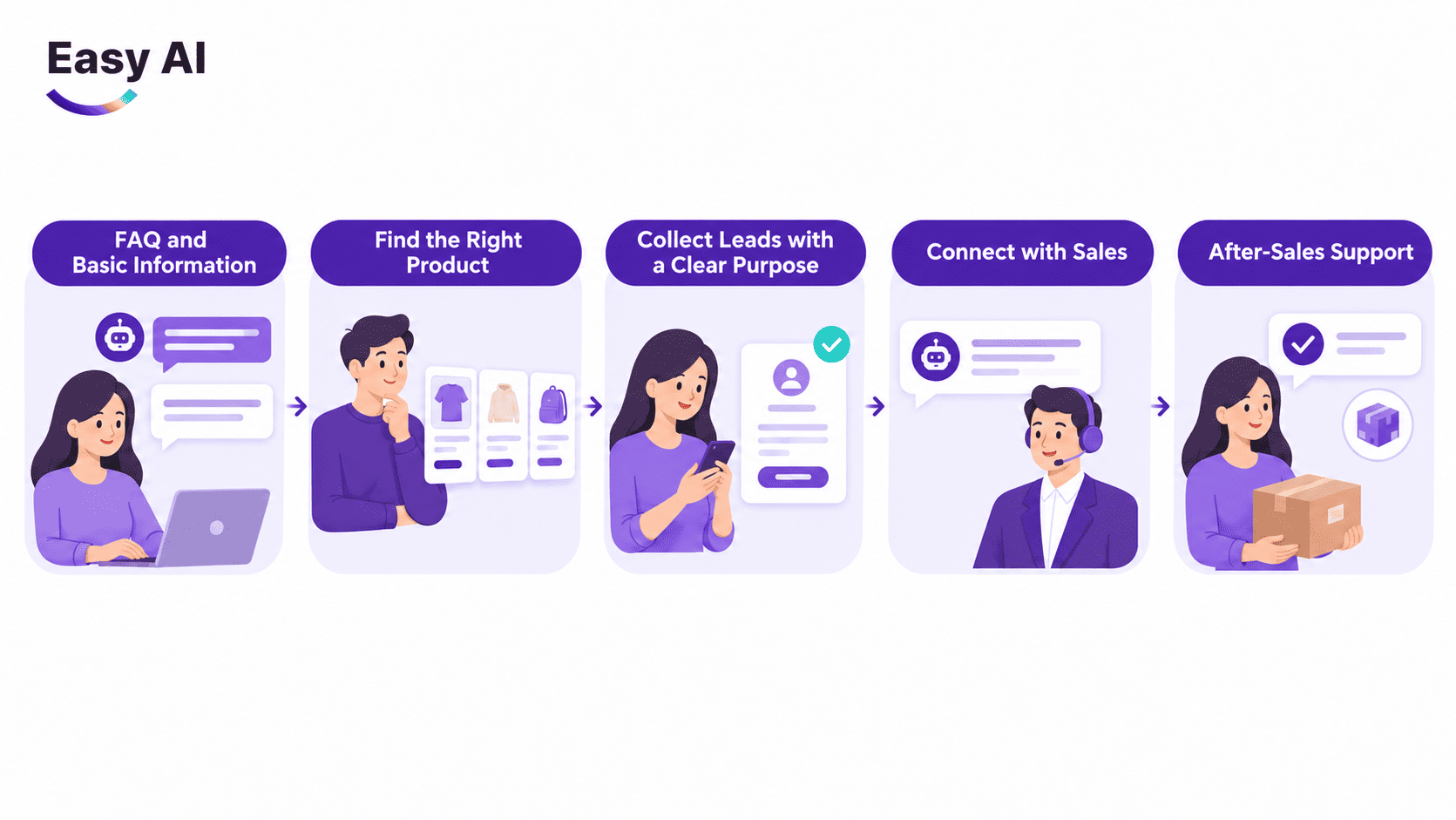
- Answer FAQs and provide basic information: AI can answer common questions about operating hours, appointment booking processes, return conditions, or how to use a service, provided the business supplies accurate, up-to-date content. Questions involving exceptions, disputes, or information not covered in the documentation should be routed to an employee.
- Find suitable products: In retail, AI can ask about needs, budget, or usage criteria, then recommend products based on the catalog provided. If recommendations need to reflect current prices, promotions, or stock levels, the business should verify the available integrations and how frequently the data is updated. Without this data, AI should provide only verified information and should not confirm stock availability or current prices.
- Collect leads for a clear purpose: AI can ask for contact information when a visitor needs further advice, wants to book an appointment, or wants Sales to follow up. The business should clearly state the purpose of collection, request only necessary data fields, and handle the information in accordance with applicable regulations. Allowing visitors to provide information voluntarily makes the process more transparent; businesses should not collect data for purposes they have not disclosed.
- Connect visitors with Sales: When a visitor shows purchase intent, needs a custom quote, or wants to speak with a person, AI can initiate a handoff. The process should specify the responsible team, the information to include, and how to inform the visitor that the conversation has been transferred. Employees should be able to see the previous conversation to avoid asking the visitor to start over.
- Provide post-purchase support: AI can help customers find warranty information, instructions for use, or support request procedures if the content has been reviewed. Cases that require transaction verification, complaint handling, or product assessment should be routed to an authorized employee.
4. Features to consider when choosing AI live chat for websites
Feature names and functionality vary between platforms. Check how each capability is configured, what data sources it requires, and what operational processes it involves.
| Feature | Value | What to check |
|---|---|---|
| Automated replies | Handles FAQs outside employee coverage hours or reduces repetitive responses | Knowledge sources, question scope, and what happens when data is missing |
| Handoff to an employee | Routes conversations that need advice or exception handling to the responsible person | Routing rules, waiting status, recipient, and the context included |
| Routing | Directs requests based on topic, team, or configured criteria | Classification capabilities, routing conditions, and what happens when classification is wrong |
| Purchase intent recognition | Helps prioritize conversations that indicate a need for advice or a purchase | Signals used, how they are verified, and data access permissions |
| Tags and conversation tracking | Organizes conversation history and groups topics for follow-up | Tagging rules, search capabilities, and data retention scope |
| Alerts | Notifies teams of new conversations, requests that need a response, or cases requiring action | Notification channels, recipients, and alert thresholds |
| Reporting | Tracks AI and employee activity and conversation outcomes | Metric definitions, recording time, and ability to link to business data |
These features are not necessarily available in every configuration. Businesses should verify them with the provider before choosing a platform, especially if they need integrations with a CRM, order management system, or analytics tools.
5. How to install and deploy AI live chat on a website
Installing a chat widget is usually only a small part of the project. Before embedding it on a website, the business needs to decide what AI is allowed to answer, when to transfer conversations to a person, and who is responsible for updating its knowledge.
Step 1: Define the implementation goal
Choose a specific use case, such as answering FAQs, advising on products, or collecting requests for consultation. Decide which metrics to track before turning on the system: first response time, the number of conversations that require an employee, or the number of leads sourced from live chat.
Step 2: Prepare knowledge and assign an owner for updates
Gather source content such as product information, support processes, and FAQs. Include only information the business is authorized to use and can maintain. Assign someone to review content when prices, policies, or processes change. If data is stored across multiple systems, clearly identify which system is the source of truth.
Step 3: Configure the widget
Choose where the widget appears, the welcome message, and the information fields to request. If the platform supports it, the welcome message should tell visitors whether they are speaking with AI or an employee. Avoid asking for information before visitors understand why it is needed.
Step 4: Set AI rules and handoff procedures
Specify the topics AI is allowed to answer, the questions it should ask for clarification, and the cases that must be transferred to an employee. A responsible person should verify information about prices, stock, payments, and policies. If AI cannot access up-to-date data, instruct the system to say it does not have enough information rather than give a definitive answer.
Handoff procedures should specify who receives conversations, what information is transferred, and how to handle conversations outside business hours. When an employee takes over, they should be able to see what the visitor has already discussed with AI so they can continue with the right context.
Step 5: Embed the chat using a method supported by the provider
Easy AI’s public documentation states that its chatbot can be added to websites such as WordPress, Wix, Shopify, and Jamstack using an embed code supplied by the system or a direct link to the chatbot. This is the method confirmed in Easy AI’s documentation; do not assume every platform has its own plugin or that all website types require the same steps. After embedding the chat, check the provider’s current instructions, website editing permissions, user interface, and which pages should display the chat.
| Website type | Method described in Easy AI documentation | What to verify |
|---|---|---|
| WordPress | Embed code supplied by Easy AI or a direct link to the chatbot | Where to insert the code and whether it is compatible with the theme and plugins in use; do not assume there is a dedicated Easy AI plugin |
| Shopify or e-commerce website | Embed code or a direct link to the chatbot; Easy AI lists Shopify among the platforms where it can be added | How it appears on the theme and pages that need chat; access to the catalog, prices, or stock requires a separate integration that should be verified |
| Custom-developed website, including Jamstack | Embed code or a direct link to the chatbot, following the provider’s instructions | Source-code access, security policies, display location, and impact on performance |
Note: Specific steps may vary depending on the website structure and service configuration. Use Easy AI’s current technical documentation; do not add plugins or take CMS-related actions that the provider has not confirmed.
Step 6: Test before going live
Use a practical checklist on both mobile and desktop:
- Does the widget appear in the right place without covering important content?
- Does AI answer correctly based on the knowledge sources provided?
- When data is missing, does AI avoid making assumptions?
- Are conversations routed to the right person, with context preserved?
- Do notifications reach the right team?
- Does tracking record the required events?
- Do visitors know when AI is responding and when an employee takes over?
After deployment, check the setup again whenever content, the website, or internal processes change.
6. How to optimize AI live chat for websites
For AI live chat to work effectively, a business needs to do more than install a chat window. It also needs to optimize how AI interacts with customers, how conversations are handed off to employees, and the quality of the underlying data. Prioritize the following factors.
- Place AI live chat in the right location at the right time: Prioritize important pages, such as product, pricing, and service pages. Personalize the welcome message to the context of each page to encourage visitors to start a conversation.
- Establish a clear handoff process: Transfer complex conversations to employees with the full chat history, and clearly define the responsible department and procedures for handling conversations outside coverage hours.
- Update data and knowledge regularly: Review and standardize information such as prices, products, and policies on a regular basis. Assign a data owner to reduce outdated answers and maintain accuracy.
- Monitor conversation quality and improve continuously: Review successful, incorrect, or abandoned conversations so you can update the knowledge base, adjust conversation scenarios, and refine handling flows.
- Measure performance using real data: Use operational metrics such as response speed, resolution rate, and CSAT alongside conversion tracking for leads, orders, and costs to assess business impact accurately.
7. KPIs to track when deploying AI live chat
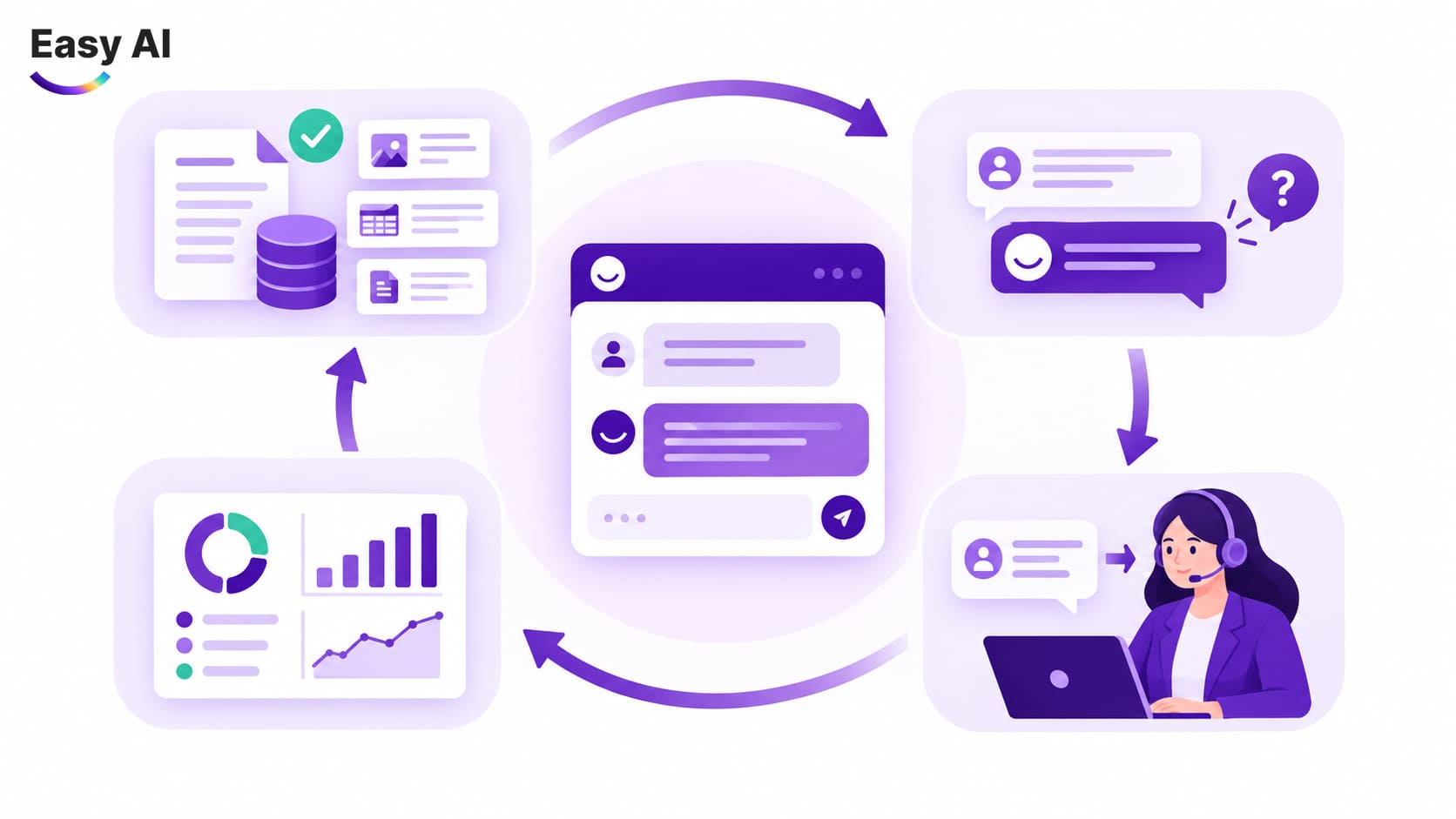
Separate operational metrics from business metrics. Operational metrics show how the system handles conversations; business metrics require suitable linked data to show which outcomes are associated with those conversations. In particular, “AI handled the conversation without transferring it to an employee” describes the conversation flow but does not prove that the issue was resolved. Read this metric alongside successful resolution rate, reasons for handoff, conversation abandonment rate, and satisfaction feedback, if the system records them.
- Successful resolution rate: The number of conversations that meet the agreed handling objective divided by the total number of conversations within the measurement scope. Define the objective in advance—for example, whether it means answering a question or completing a request—and how the result will be verified.
- Handoff rate: The number of conversations transferred to employees divided by the total number of conversations. Also analyze the reasons for transfer, such as a customer request, missing data, an exception, or a need for AI to verify information. A low rate is not automatically good.
- Pre-completion abandonment rate: Track this if the platform records it. Agree on the inactivity period and criteria for “incomplete.” A visitor stopping their messages does not, by itself, reveal the reason.
- CSAT: Customer-reported satisfaction after a conversation, if a survey is available. Review it alongside survey response rate and request type to avoid interpreting it without context.
| Category | Metric | Meaning |
|---|---|---|
| Operations | First response time | Time from when a visitor starts a chat to the first response; separate AI and employee responses if the system records them |
| Operations | Conversations handled by AI | Number or share of conversations AI resolves without a handoff, according to the business’s agreed definition |
| Quality | Handoff and resolution outcomes | Handoff frequency, reasons for transfer, and the extent to which employees complete requests |
| Employees | Conversations handled per employee | Assesses workload alongside handling quality; a higher number does not automatically mean better performance |
| Business | Tracked leads or orders | Number of leads or orders linked to conversations according to the attribution rules in place |
| Experience | CSAT | Customer-reported satisfaction; track survey response rate and how the question is worded |
| Business | Cost and ROI | Compares implementation and operating costs with transaction value recorded using the agreed attribution method |
More interactions do not necessarily mean more revenue. To calculate ROI, a business needs cost data, transaction data, and a consistent attribution method. If conversations cannot yet be linked to transactions, report operational metrics rather than conclude that the chatbot generated revenue.
8. Comparing website AI live chat with multichannel AI live chat
When choosing a real-time customer engagement solution, businesses often face two strategic options: focus on optimizing AI live chat for the website alone, or expand to a multichannel AI live chat system.
Each model offers different operational and customer experience benefits. The right option depends on the actual customer journey, team resources, and the business’s data maturity.
| Criterion | Website AI Live Chat | Multichannel AI Live Chat |
|---|---|---|
| Scope | Focuses on conversations that take place directly in the website browser through a chat widget. | Integrates websites, Facebook Messenger, Zalo OA, TikTok Shop, WhatsApp, and other channels. |
| Conversation management | Manages web conversations separately and assigns them to the team responsible for the shift. | Unified inbox: brings messages from all platforms into a single management interface. |
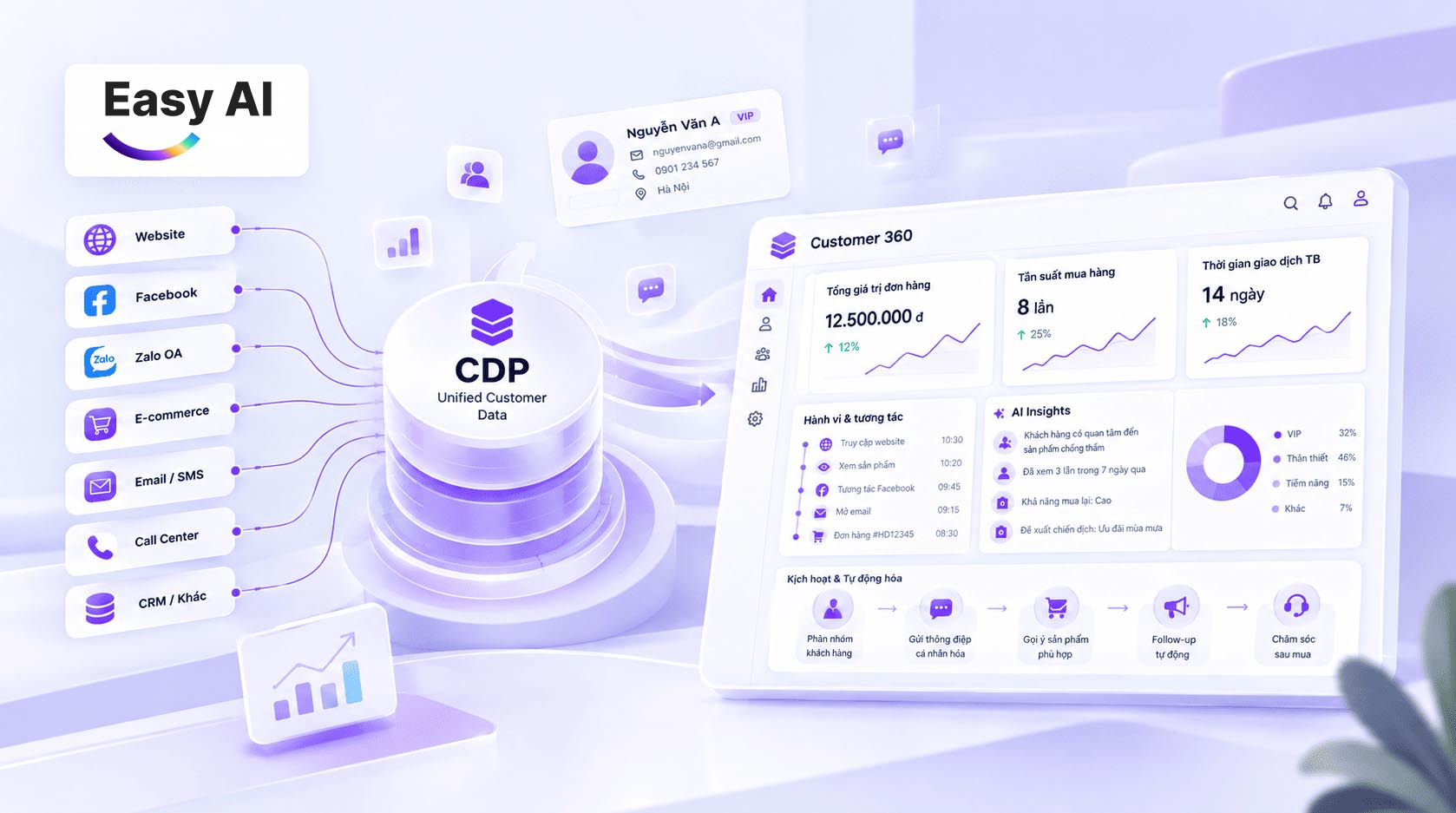
| Customer context and data | Uses real-time context such as the product or pricing page being viewed, onboarding time, and referral source. | Combines chat history, advertising sources, and behavior from multiple channels into a centralized customer profile (CDP). |
| Retention and remarketing | Depends on collecting a phone number or email address before the visitor leaves the browser. | Makes it easier to maintain engagement, send customer care messages, and trigger marketing automation campaigns through Zalo or Messenger. |
| Smart routing rules | Simple routing based on website scenarios, visit time, or support department. | Complex routing based on source channel, service group, lead priority, and advisor skills. |
| Best suited for | Businesses looking to optimize the point of conversion where customers are researching products or services. | Businesses whose customers interact across social media and multichannel retail networks. |
| Implementation complexity | Simple and fast: install a script or widget, configure scenarios, and set permissions for the handling team. | Medium to high: requires multi-platform API integrations, standardized assignment processes, and data synchronization with CRM or ERP systems. |
| Strategic implementation direction | An ideal first step for testing AI scenarios, knowledge bases, and handoff processes. | An upgrade when the business has standardized operations and needs comprehensive data consolidation. |
A website can be a suitable starting point if most questions arise while customers are researching there. Expand only after the business has identified which channels to connect, which data to synchronize, and which team will be responsible for operations.
9. Case studies: Businesses drive conversion with AI live chat on their websites using Easy AI
Using AI live chat in a website widget helps leading retail brands manage high traffic, respond promptly, and retain potential customers at the online point of contact:
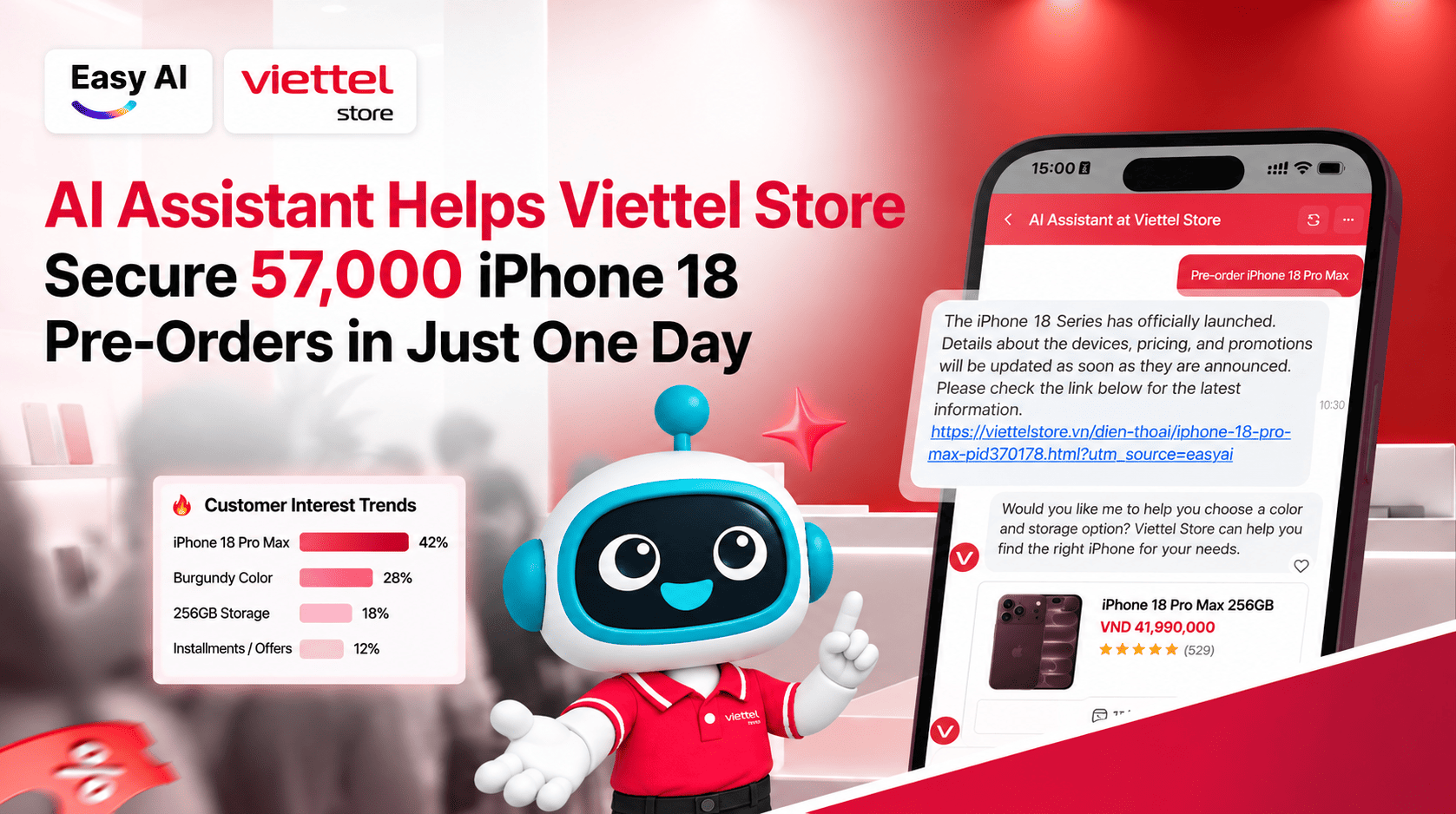
Viettel Store: Handling 57,000 iPhone 18 pre-orders with AI live chat on the website
- Challenge: During major launches such as the iPhone 18, website traffic can surge suddenly. Tens of thousands of simultaneous queries about specifications, pricing, and promotions can overwhelm the online sales team, creating a risk of missing potential customers.
- Solution: Viettel Store deployed an AI assistant that operates 24/7 directly on its website. It automatically looks up accurate product information, compares versions, and uses AI upselling and cross-selling to recommend accessories and mobile plans in the chat window. When a visitor has a more specialized need, the system smoothly transfers the conversation to a sales advisor, preserving the full context.
- Results: The website’s AI live chat successfully handled more than 15,000 requests, helping maintain a seamless experience during peak hours and directly contributing to Viettel Store recording 57,000 pre-orders in less than one day.
Dien may Pico: Synchronizing data instantly and responding to customers in real time
- Challenge: Customers visiting Pico’s website to buy high-value home appliances expect immediate responses about prices, branch-level stock availability, and promotions. Slow responses or inconsistent information can increase the bounce rate.
- Solution: Easy AI integrated an AI live chat window directly with Pico’s product database and real-time inventory system. The website AI assistant proactively helps customers look up detailed information, recommends suitable products, and guides them toward a purchase quickly, reducing the telesales team’s workload during peak seasons.
- Results: AI handled 97% of conversations automatically, customer satisfaction (CSAT) reached 94%, waiting time was reduced by 80%, and conversion from website traffic to actual orders was optimized.

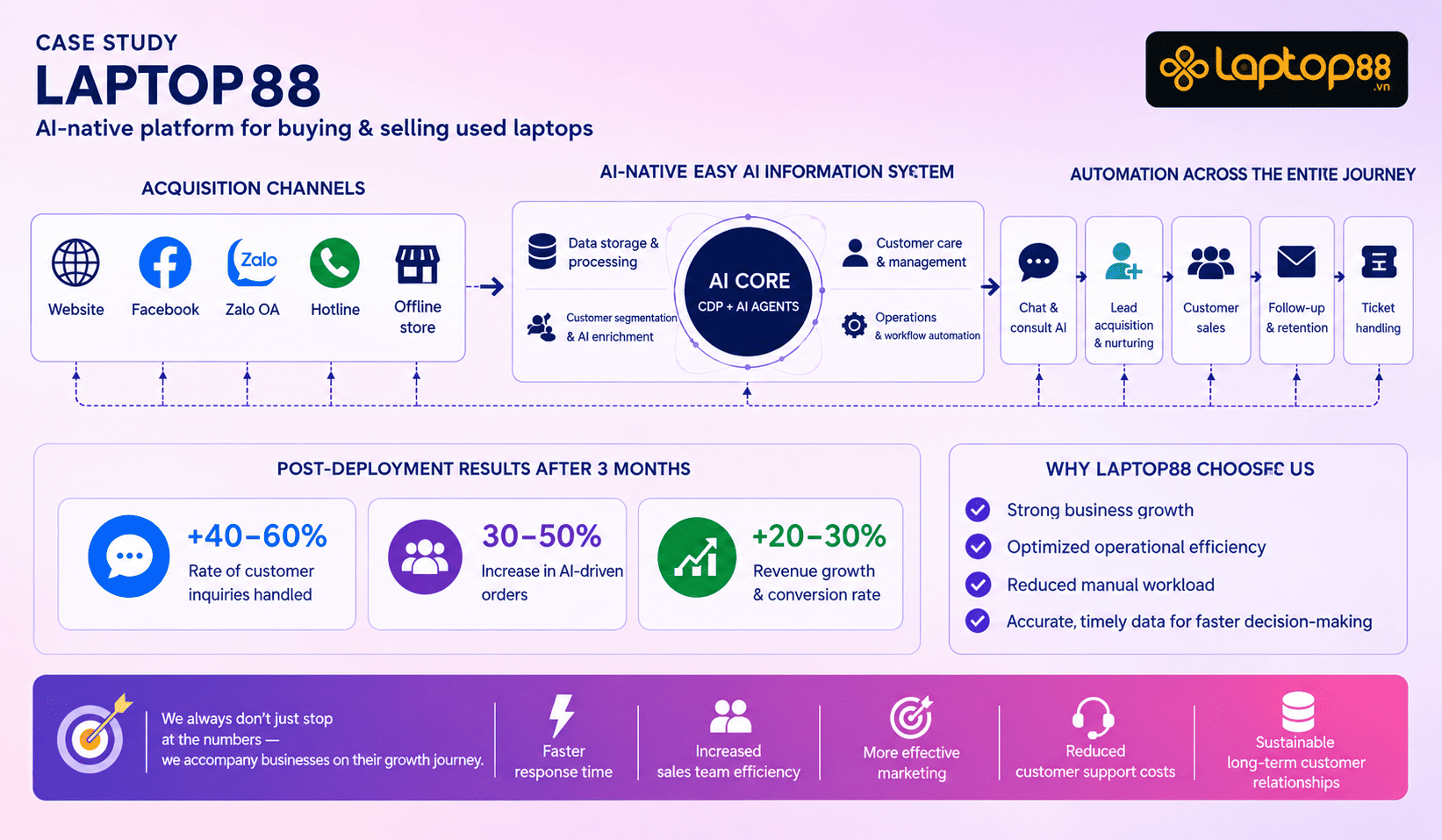
Laptop88: Retaining customers 24/7 and addressing missed leads outside business hours
- Challenge: Laptop88’s website attracts many visitors researching laptop specifications in the evenings, on weekends, and outside business hours. When no chat staff are available, these “hot leads” can be missed or move to competitors.
- Solution: The website’s AI live chat runs continuously 24/7. It automatically identifies needs based on intended use (gaming, graphics, office work), budget, and preferred brand to recommend the most suitable models, while collecting information before handing conversations to the Sales team.
- Results: After 3 months of use, Laptop88 recorded a 40–60% increase in customer response rates, AI handled 30–50% of website conversations automatically, and digital interactions increased by 20–30%, helping the business make full use of its existing website traffic.
10. Conclusion
AI live chat for websites helps businesses improve the customer experience by responding quickly, automatically answering FAQs, and connecting customers with employees when they need more specialized advice. When deployed with product data, conversation scenarios, and appropriate handoff processes, AI live chat can support customer service while also helping businesses engage leads and improve sales effectiveness.
To achieve practical results, businesses need to define clear implementation goals, build reliable data sources, establish rules for collaboration between AI and employees, and track KPIs such as response time, automated resolution rate, and the number of resulting leads or orders.
Improve the website customer experience with Easy AI
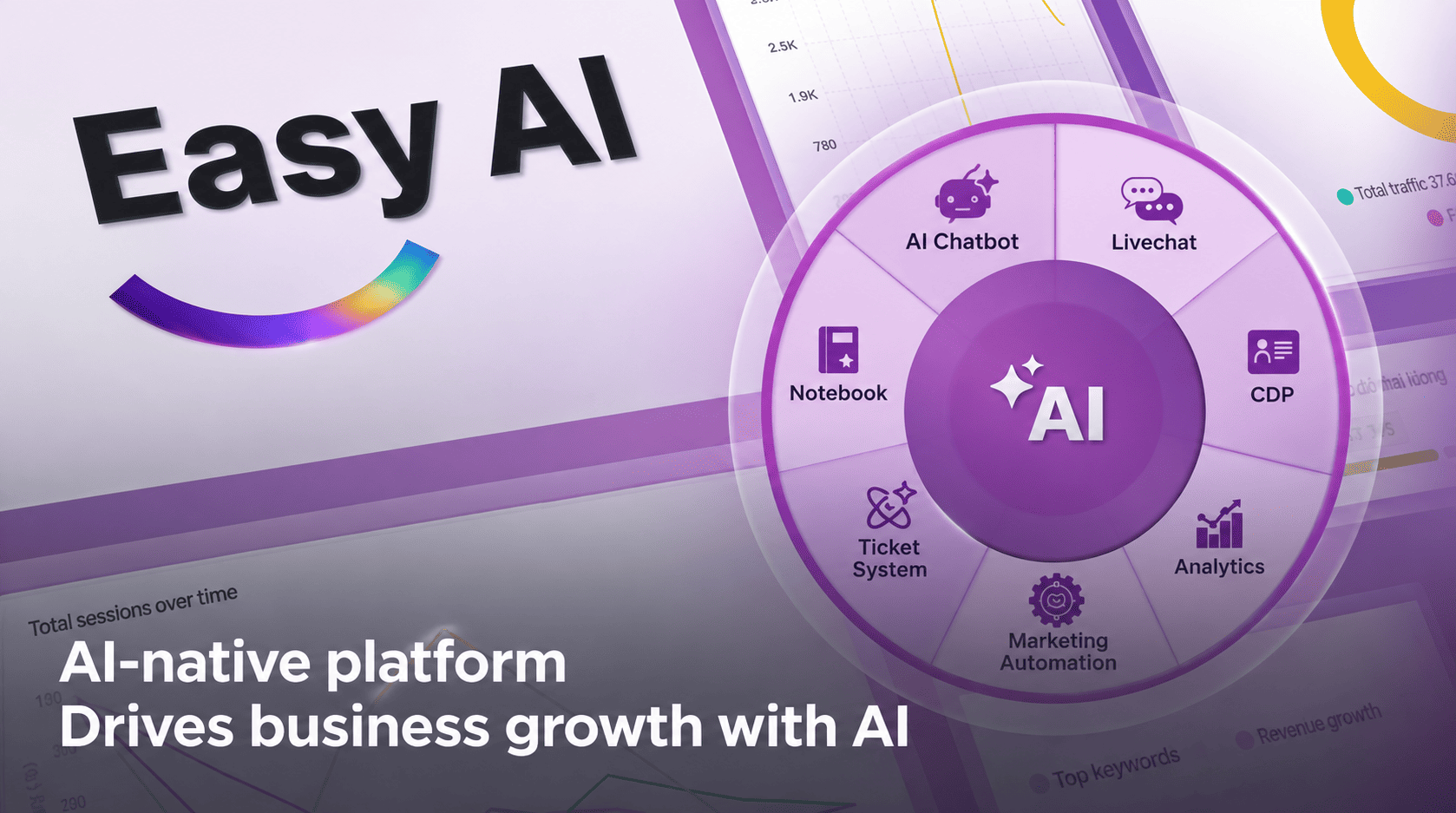
With Easy AI, businesses can combine AI Chatbot and LiveChat to support customer consultations, manage conversations, and connect with the responsible team within a single process. This approach can reduce repetitive tasks, maintain a seamless advisory experience, and help businesses make better use of conversion opportunities from their websites.
>>> Register for a 1:1 consultation and experience an Easy AI solution demo now!
Topics
FAQ
Recommended for you