What Is Live Chat? How It Works, Key Features, and Use Cases
1. What Is Live Chat?
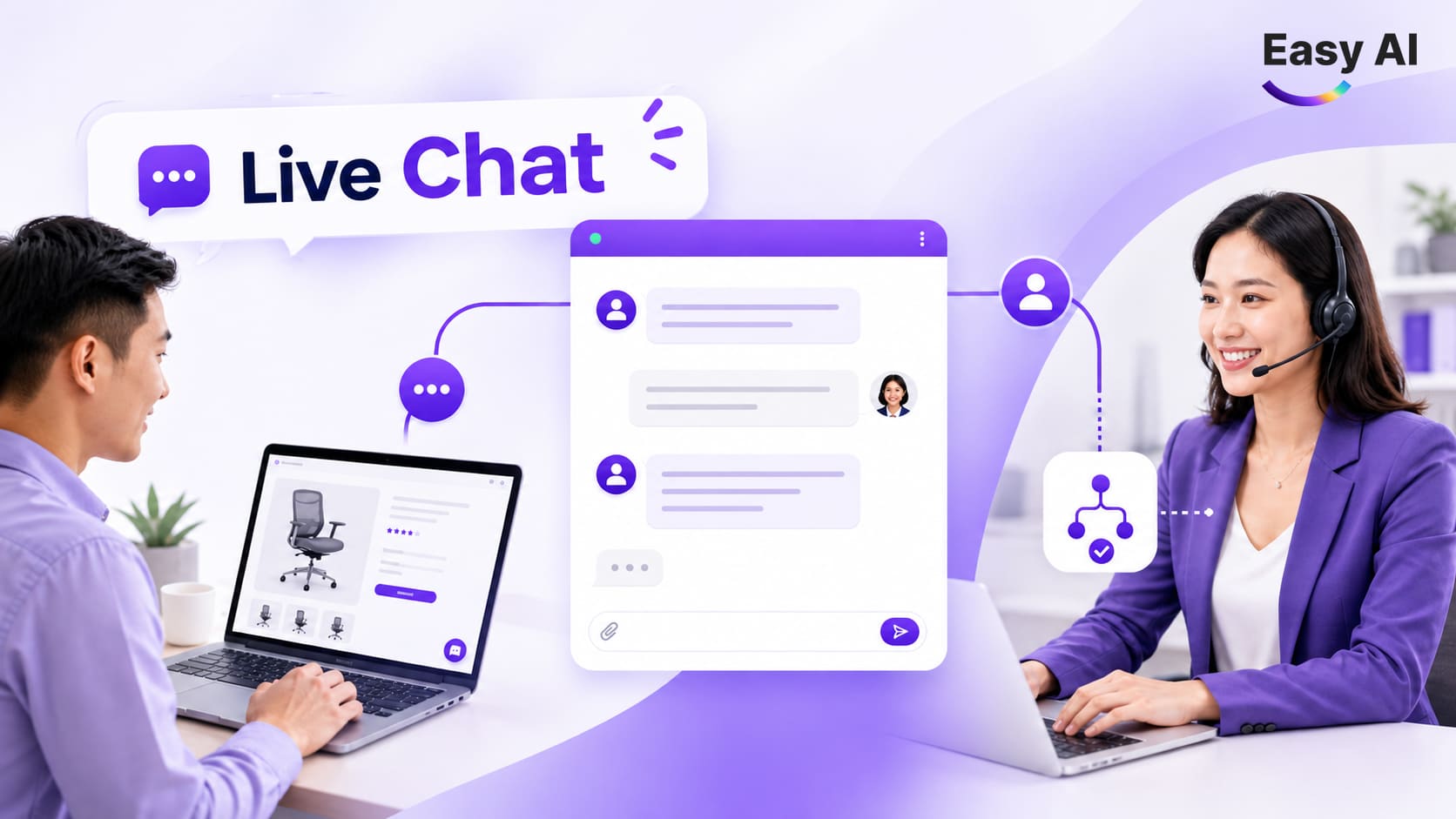
Live chat is a tool that allows customers and businesses to exchange messages in real time on a website, app, or support channel. Depending on the platform, employees can handle conversations directly, a chatbot can automate them, or both can work together.
When customers visit a website, they can open a chat window to ask about a product, service, or order. Their messages are routed to an available employee, placed in a queue, or handled according to configured automation rules. Live chat is a form of real-time text communication operated by employees or combined with automation.
It is important to distinguish between a live chat agent and a live chat platform. An agent is the person who advises customers and handles their requests directly. A platform is the software used to receive, assign, and store conversation histories, and may also provide chatbots, reports, or integrations with other systems.
For example, a customer viewing a product on a website might ask whether it is in stock. The system can route the question to a responsible employee or to a chatbot configured to look up the information. The chatbot’s ability to respond depends on the business’s data, integrations, and processes.
2. How Live Chat Works in a Business
A typical live chat process has six steps. The specific implementation depends on the software and configuration a business chooses.
- Visitor arrives: A user visits a website, app, or support channel with live chat enabled.
- Widget opens: The customer clicks the chat icon or receives an invitation to chat based on configured rules.
- Request is submitted: The customer enters a question, contact details, or the information they need.
- Request is received and routed: The system adds the conversation to a shared inbox or queue, or routes it to an employee, team, or bot based on the configuration.
- Response and resolution: An employee or bot responds. If a request falls outside the scope of automation, the conversation can be transferred to a designated employee if the platform supports it.
- Conversation is stored and tracked: The conversation may be saved for reference, reporting, or follow-up. CRM synchronization requires an integration or API, data mapping, configuration, and appropriate access permissions; not all software does this automatically.
Response speed does not depend on software alone. Staff schedules, routing rules, the number of simultaneous conversations, internal processes, and data quality all affect customer wait times. Businesses should measure first response time and handling time by channel, time period, or responsible team to identify bottlenecks.
3. Common Live Chat Features
Live chat features vary by software, service plan, and integrations. Before choosing a tool, businesses should check which features are available, what limits apply, and how the tool works in practice.
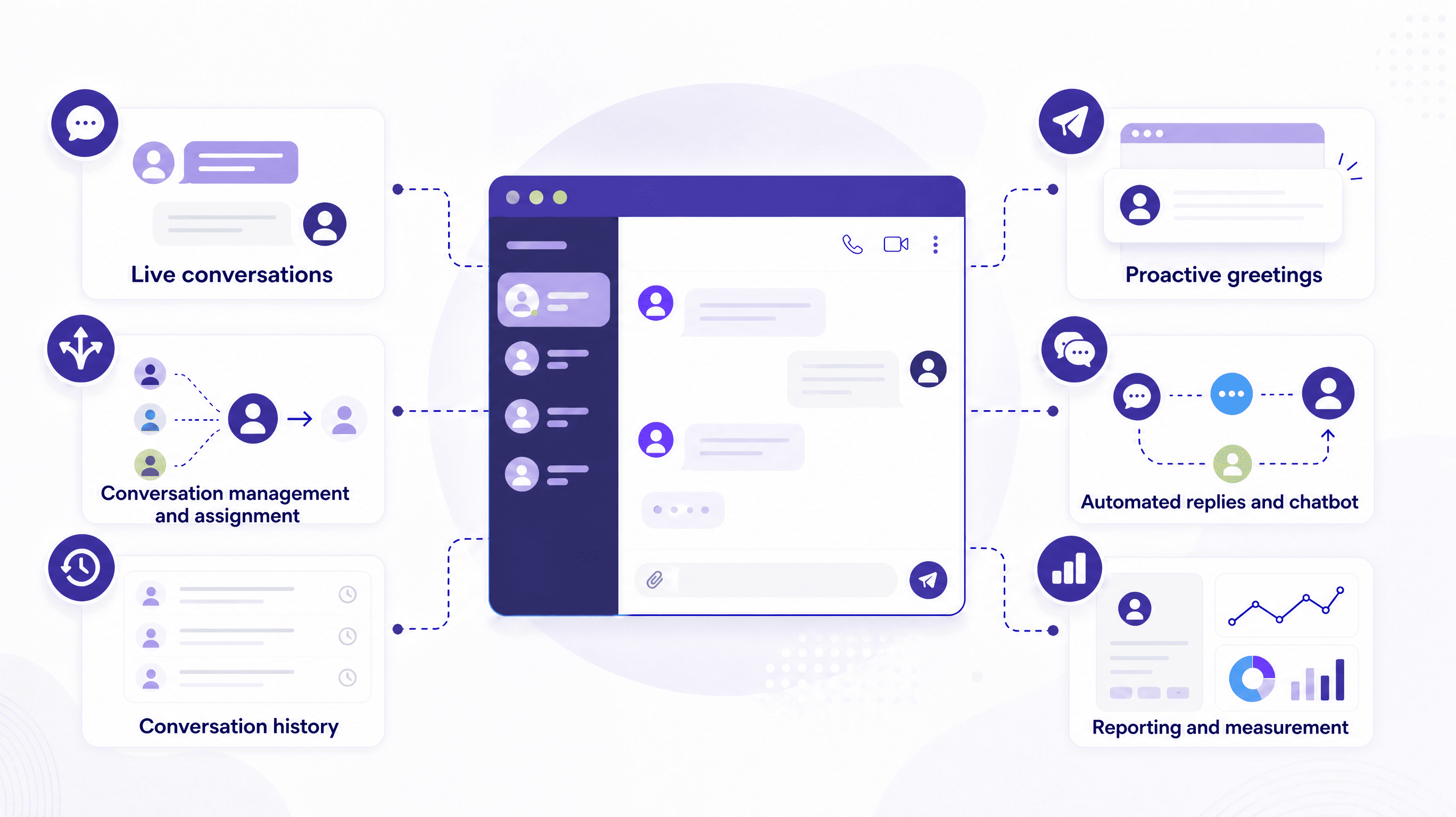
- Live conversations: Employees communicate with customers through a chat window on a website or app. For example, an employee might ask follow-up questions to understand a customer’s needs before making a recommendation. Businesses should define staffing hours and explain what happens when no employee is available.
- Conversation management and assignment: The system can bring conversations into a shared inbox, assign them to employees, or route them by team, topic, and rules. This feature clarifies ownership, but its effectiveness also depends on how the business designs queues, permissions, and handling processes.
- Conversation history: Some platforms let employees review previous exchanges to continue handling a request or assess quality. Businesses should check retention periods, access permissions, and data handling policies. Do not assume that every software platform stores conversation history in the same way.
- Proactive greetings: A widget can display a greeting or chat invitation based on conditions such as the page a visitor is viewing. A relevant invitation can help customers know where to ask questions; if it appears too often or at the wrong time, it may disrupt the experience.
- Automated replies and chatbots: Frequently asked questions can be handled with automated messages or chatbots. Rule-based chatbots work from predefined choices and rules; AI chatbots can handle more varied phrasing within the scope of the data and configuration provided.
- CRM and customer data integrations: With an appropriate integration, conversation details can be linked to a customer profile or CRM system. Businesses should verify which data is synchronized, how customer identities are matched, and who can access the data. An integration should not be assumed to be a default feature of every live chat widget.
- Reporting and measurement: If the platform supports it, reports can track conversation volume, response time, handling time, and customer satisfaction. Metrics need to be defined consistently. For example, before comparing first contact resolution rates across teams, a business should define what counts as a conversation resolved on first contact.
4. Live Chat Use Cases in Marketing, Sales, Customer Service, and Service Operations
Live chat use cases should start with a specific business problem. Businesses can choose relevant KPIs, such as first response time, handling time, first contact resolution (FCR), customer satisfaction (CSAT), or conversion rate when it can be fully tracked.
| Area | Problem and application | Expected value and trackable KPIs |
|---|---|---|
| Marketing | Customers need more information before submitting an inquiry. Live chat can answer questions, capture lead information when appropriate and with the customer’s consent, and then route the lead to Sales. | Track first response time, the number of qualified leads, and conversion rate if it is measured through the sales system. |
| Sales | Customers are considering a product but need advice about its features or which option suits them. Employees can use live chat for pre-purchase conversations and route questions requiring deeper expertise. | Track handling time, the conversion rate of conversations attributed to a source, and the completeness of consultation information. |
| Customer service | Customers ask about processes, request statuses, or support. Businesses can categorize questions, guide customers through common requests, and route complex issues to employees. | Measure FCR, response time, handling time, CSAT, and the number of conversations handled per employee, if the system supports reporting. |
| E-commerce and services | Customers ask about products, orders, delivery, returns, or after-sales support. Live chat can route requests to the right team; bots can assist with common questions when supplied with appropriate data and configuration. | Track response time, resolution time, FCR, and attributable conversions. Do not attribute every change in sales to live chat alone. |
For Marketing, contact information should be collected in a way that aligns with the purpose of collection and, where required, customer consent. For customer service, businesses should clearly define which situations AI can handle and which must be transferred to an employee, so customers do not get stuck in an automated process.
5. Benefits and Limitations of Live Chat
- Benefits: Live chat gives customers a point of interaction right where they are exploring a product or service. Customers can ask questions and receive guidance without leaving the website; if the system stores conversation history, employees can continue the conversation with the earlier context.
- Limitations: Live chat does not automatically mean immediate support. Businesses need to schedule employees; when conversation volumes exceed their capacity, customers may have to wait. Response quality also depends on the knowledge of the person handling the request, internal processes, and the ability to route questions to the right team.
To make live chat effective, businesses need clear ownership, routing rules, response standards, and appropriate KPIs. Track first response time, resolution time, and first contact resolution rate to determine whether the team and processes are meeting customer needs.
6. How Businesses Can Implement Live Chat
Businesses can start with a limited scope, defining how the service will operate and how success will be assessed in advance:
- Define the objective: Choose a priority business problem, such as sales advice, customer service, or lead capture.
- Choose channels and staffing: Select the website or channel to support, operating hours, and responsible team.
- Configure the tool: Set up the widget, inbox, permissions, and routing rules so conversations reach the right person.
- Set up automation if needed: Configure a chatbot or AI for appropriate requests, and clearly define when conversations should be transferred to an employee.
- Monitor and adjust: Measure KPIs during the pilot, review conversations, and revise processes, data, or routing when bottlenecks emerge.
There is no need to automate every type of question from the outset. Choosing a group of requests with clearly defined content, preparing the relevant information sources, and identifying who will receive escalations can help a business assess the workflow before expanding.

7. How Are Live Chat and Chatbots Different?
Live chat and chatbots can appear in the same chat window, but they handle conversations differently. A chatbot is not necessarily AI: many chatbots operate using predefined decision trees or rules. An AI chatbot uses an AI model to process questions within the scope of the data, instructions, and configuration provided.
| Criteria | Live Chat with an Agent | Rule-Based Chatbot | AI Chatbot |
|---|---|---|---|
| How it works | An employee reads and responds to messages directly. | Matches selections or conditions to predefined scripts. | Analyzes questions with an AI model and responds based on configured data and instructions. |
| Employee role | Handles conversations directly. | Sets up scripts; employees handle cases when needed. | Defines the scope, monitors quality, and handles cases requiring human support. |
| Automation | Low when operated entirely by employees. | Automates configured branches and responses. | Can automatically handle varied phrasing within the system’s knowledge and capabilities. |
| Scope of questions | Flexible, depending on employees’ abilities and the data they can access. | Narrower; suited to questions and branches that have been designed. | Can be more flexible than scripts, but still depends on how complete and accurate the source data is. |
| After-hours availability | Requires an employee on duty to respond directly. | Can run using scripts after hours. | Can respond after hours if implemented and monitored appropriately. |
| Handling complex requests | Employees can ask follow-up questions and handle requests according to processes, within the limits of their authority. | Usually needs to transfer the conversation to an employee if no suitable branch exists. | Should transfer the conversation to an employee when data is missing, there is a risk, or the request is outside the permitted scope. |
| Scalability | Limited by the number of employees and operational capacity. | Scales defined flows; updates are needed when processes change. | Can scale to handle many suitable conversations, but data, quality, and operating costs need to be managed. |
| Best suited to and limitations | Suited to consultations requiring judgment; depends on staffing schedules and workload. | Suited to clear, repetitive tasks; struggles with questions outside the script. | Suited to questions that can be answered from a knowledge base; may provide inaccurate or incomplete answers if data and configuration are not adequate. |
The three models can complement one another. A chatbot handles suitable requests, while employees take over questions requiring judgment, exception handling, or more in-depth discussion. When transferring a conversation, the platform should retain the context if it supports this, so customers do not have to repeat all their information.
8. Checklist for Choosing the Right Live Chat Software
Before choosing live chat software, businesses should review both current processes and technical requirements. The checklist below highlights points to ask providers about and test during a pilot.
- Deployment and operations: How is the software installed on a website or app? Who manages and updates the configuration?
- Supported channels: Which channels does the software handle? Does it support the channels customers currently use?
- Inbox and routing: Does it provide a shared inbox, assignment, permissions, queues, and conversation routing rules that meet your needs?
- History and reporting: Does it store conversations and track response time, handling time, FCR, and CSAT?
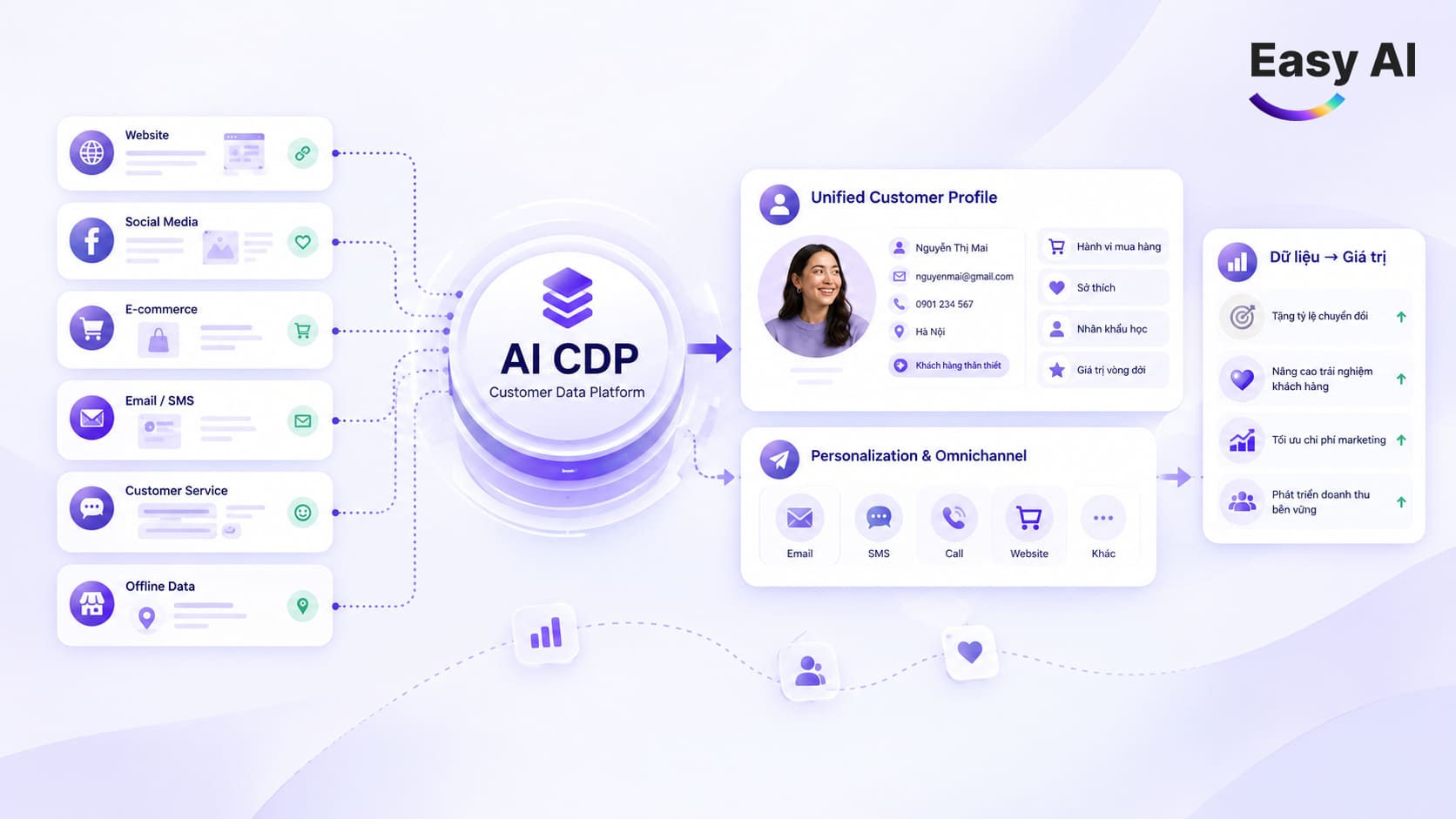
- CRM and CDP: Does it integrate with existing systems? What APIs, mapping, or configuration are required? Which data is synchronized?
- Bots, AI, and handoff: Which types of questions can the bot handle? When does it transfer a conversation to an employee? Is the context retained during the transfer?
- Security and privacy: Does the software provide permissions, retention policies, and access controls that align with the business’s policies?
- Scalability and total cost of ownership (TCO): Consider the costs of usage, implementation, integration, training, and operations—not just the software fee.
Businesses should also document staffing hours, conversation volumes by time period, common question types, current processes, and the KPIs to measure before implementation. During the pilot, choose a specific team or request type to test the intake, response, and human handoff process.
9. Case Studies: Businesses Successfully Using Live Chat with Easy AI
Live chat not only helps businesses interact directly with customers, but also enables teams to respond promptly, manage conversations centrally, and reduce the risk of missing potential customers. Through real-world projects, Easy AI combines Live Chat with AI Chatbot to help retail businesses improve their sales consultation and customer service capabilities across multiple channels.
Viettel Store: Combining AI Chatbot and Live Chat During Peak Sales Season
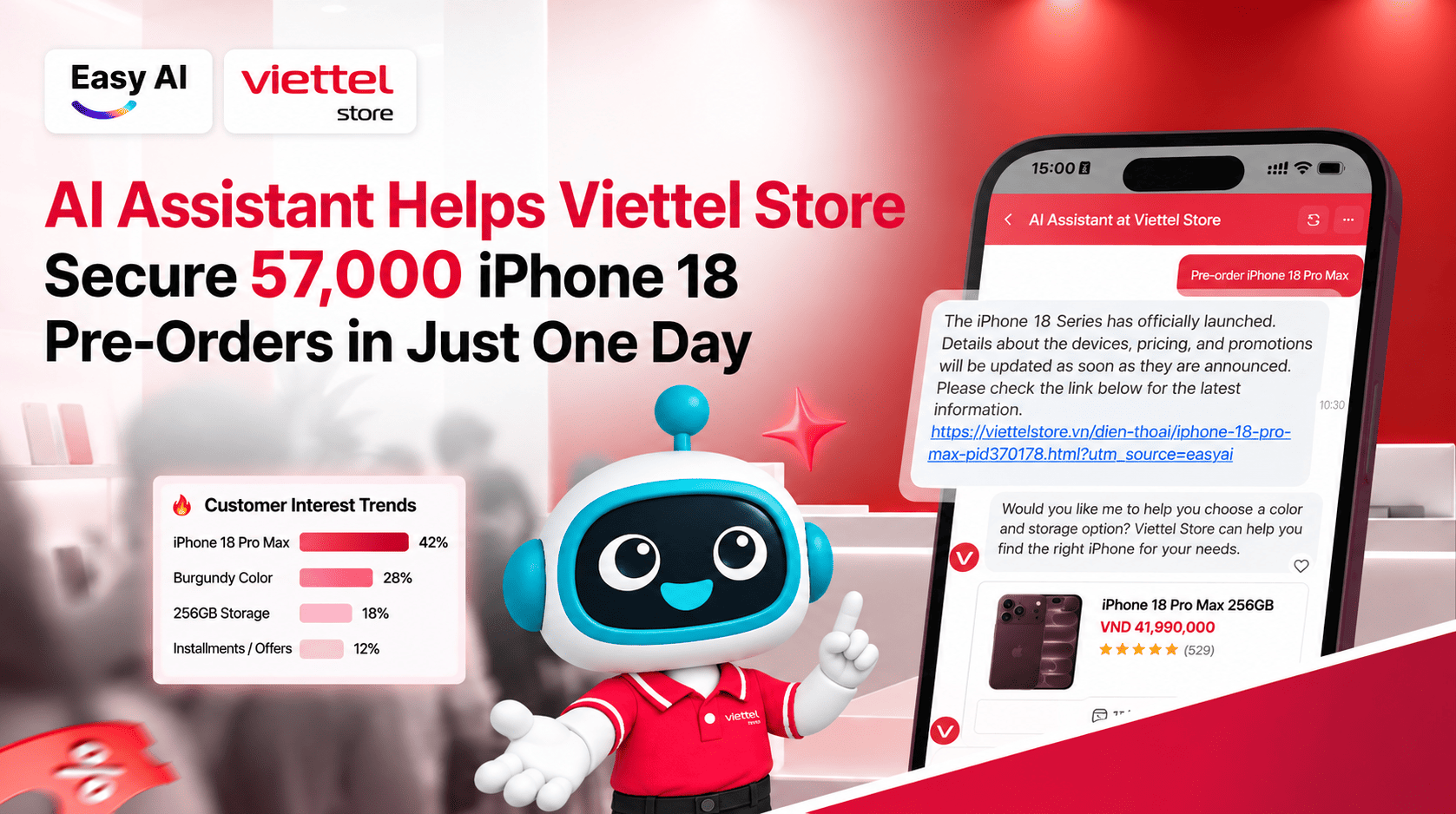
- Background: During the iPhone 18 pre-order campaign in September 2026, Viettel Store recorded 57,000 deposits in less than one day, placing significant pressure on its sales consultation and customer service operations.
- Solution: Easy AI implemented a model combining AI Chatbot and Live Chat. AI supported product consultations and answered questions about prices, promotions, and sales policies. When customers needed in-depth advice, conversations were transferred to employees for further support. This approach helped distribute conversation volumes more effectively between AI and the Sales and customer service teams, while preserving conversation context during the handoff.
- Key result: AI handled more than 15,000 requests, helping Viettel Store meet increased demand for consultations during the product launch.
Dien May Cho Lon: Expanding 24/7 Customer Consultation on the Website
- Background: With high daily website traffic, Dien May Cho Lon needed to improve its online consultation capabilities, particularly outside business hours when the telesales team could not respond immediately.
- Solution: Easy AI deployed an AI Chatbot on the website to help customers search for and compare products, check prices and promotions, review warranty policies, and look up order statuses. The system also directed customers to the hotline, where employees could handle cases requiring in-depth advice. The solution added an automated 24/7 interaction channel, helping connect the customer experience across customers, the chatbot, and the consultation team.
- Key result: More than 10,000 interactions per day; around 90% of users rated their AI Chatbot experience positively, according to a published survey. The solution helped improve customer service capabilities and support online order conversions.
Laptop88: Consolidating Omnichannel Conversations to Improve Customer Response
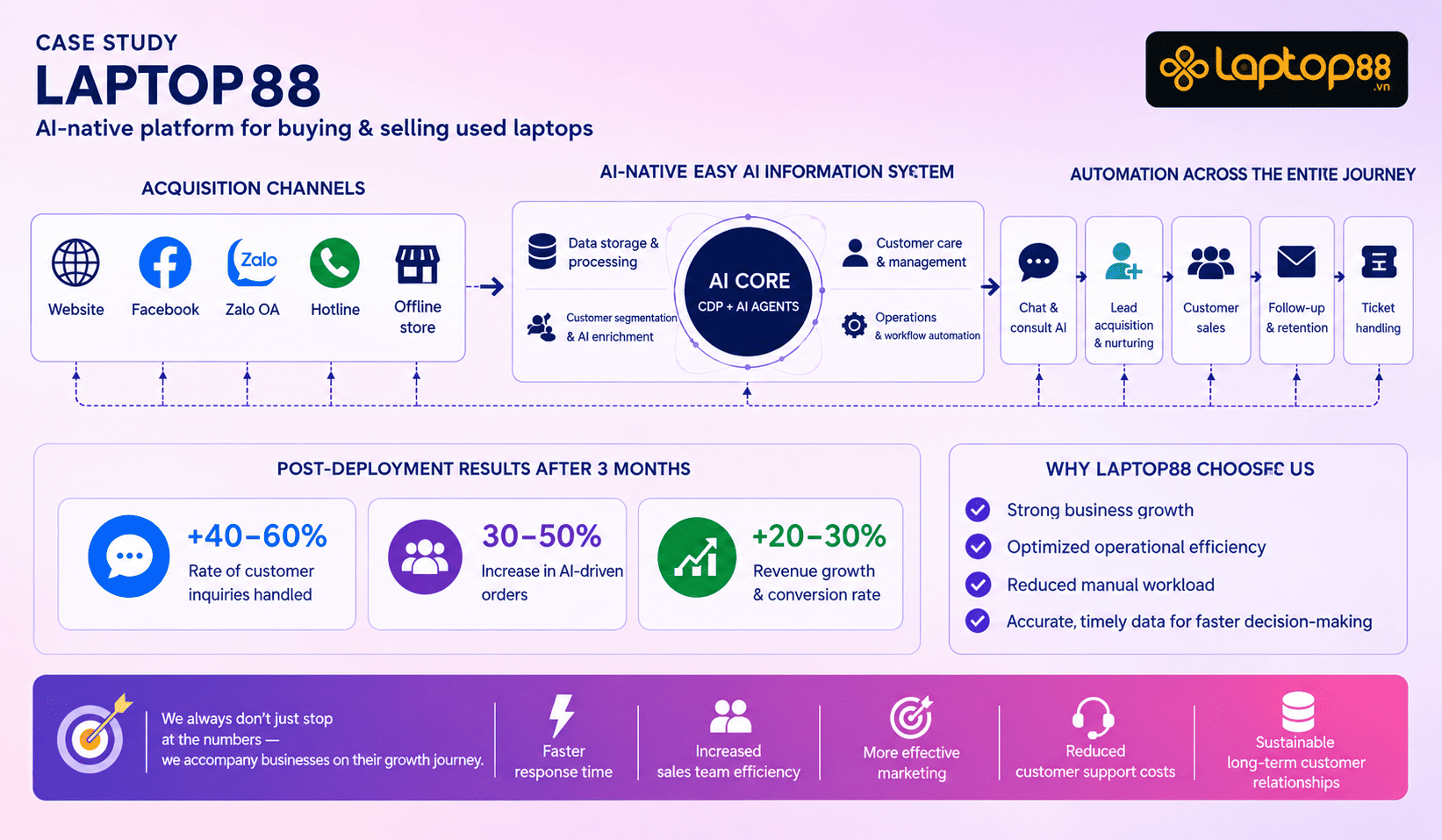
- Background: Laptop88 received customer inquiries through multiple channels, including its website, Facebook Messenger, Zalo OA, and the CareSoft call center. Before implementing the solution, conversations and customer data were scattered across multiple systems, while requests were assigned to employees largely through manual processes.
- Solution: Easy AI implemented AI Chatbot combined with Live Chat, bringing conversations from integrated channels into a centralized management interface. AI handled initial inquiries and helped customers choose laptops based on budget, specifications, and intended use. When customers needed a quote, wanted to check stock, or required in-depth consultation, the system routed the conversation to an appropriate employee while retaining the context. This made it easier for the Sales and customer service teams to track conversations, reduced manual routing, and helped prevent potential customers from being missed, including outside business hours.
- Key result: After approximately 3 months of implementation, Laptop88 recorded a 40–60% increase in its customer response rate; AI supported 30–50% of conversations, and digital interactions increased by 20–30%, according to figures published by Easy AI.
10. Conclusion
Live chat is a good fit when a business needs to communicate directly with customers at the right time and the value of each conversation justifies the staffing resources. Rule-based chatbots or AI chatbots can scale the handling of suitable requests, while complex cases should be transferred to employees. Start with the process, operating hours, and metrics to measure, then choose software that meets real operational requirements.
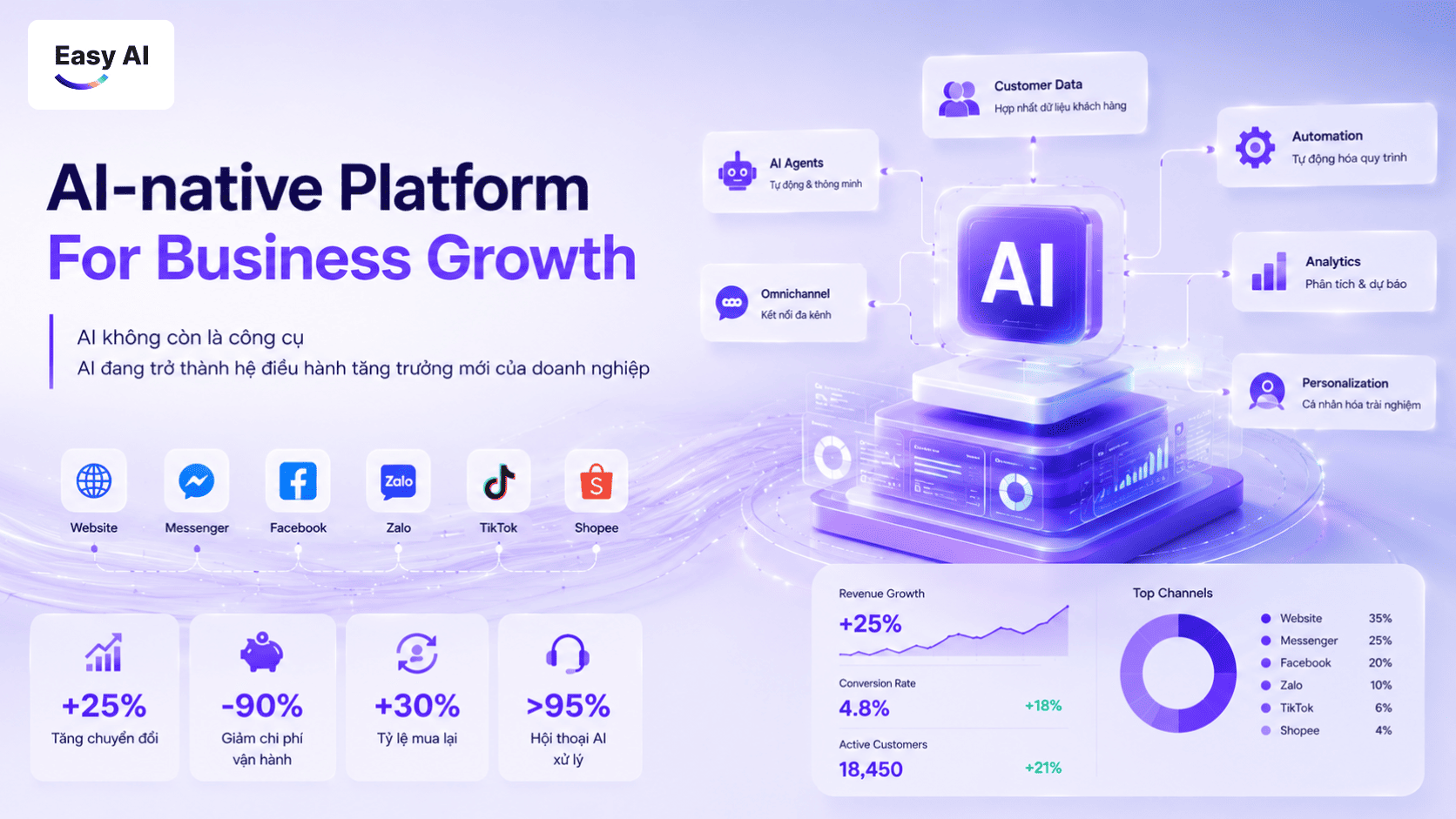
Easy AI is a trusted choice for leading Vietnamese businesses, pioneering AI-native platforms and Revenue AI OS to improve operations and drive revenue growth. We are ready to help your business turn its live chat window into a sustainable, automated revenue channel.
Ready to elevate your live chat channel and improve conversion rates with Easy AI?
Don’t let potential customers leave just because they have to wait a few minutes for a response. Let the Easy AI expert team advise you on an AI Live Chat solution integrated with Revenue AI OS and designed for your business model.
Book a consultation and experience Easy AI’s AI Live Chat solution today!
Topics
FAQ
Recommended for you