
Jason AI Employee: Empowering Enterprise Workflow & Productivity
1. Businesses face staffing and operational pressure as they scale
As businesses grow, workloads across Sales, Marketing, Operations, Accounting, and Administration grow with them. Employees must not only perform their specialized duties but also spend substantial time entering data, compiling reports, preparing documents, sending emails, updating customer information, and tracking work progress.
Hiring more employees can ease some of this pressure, but it also brings recruitment, training, management, and operating costs. Meanwhile, many repetitive tasks continue to consume significant resources from existing teams.
The development of artificial intelligence (AI) is opening up a new approach: AI Employees—a model for applying AI that can take on and perform specific tasks within a business. Rather than only answering questions or offering suggestions, AI Employees can help process documents, compile data, create reports, and perform various tasks in software that the business has authorized them to use.
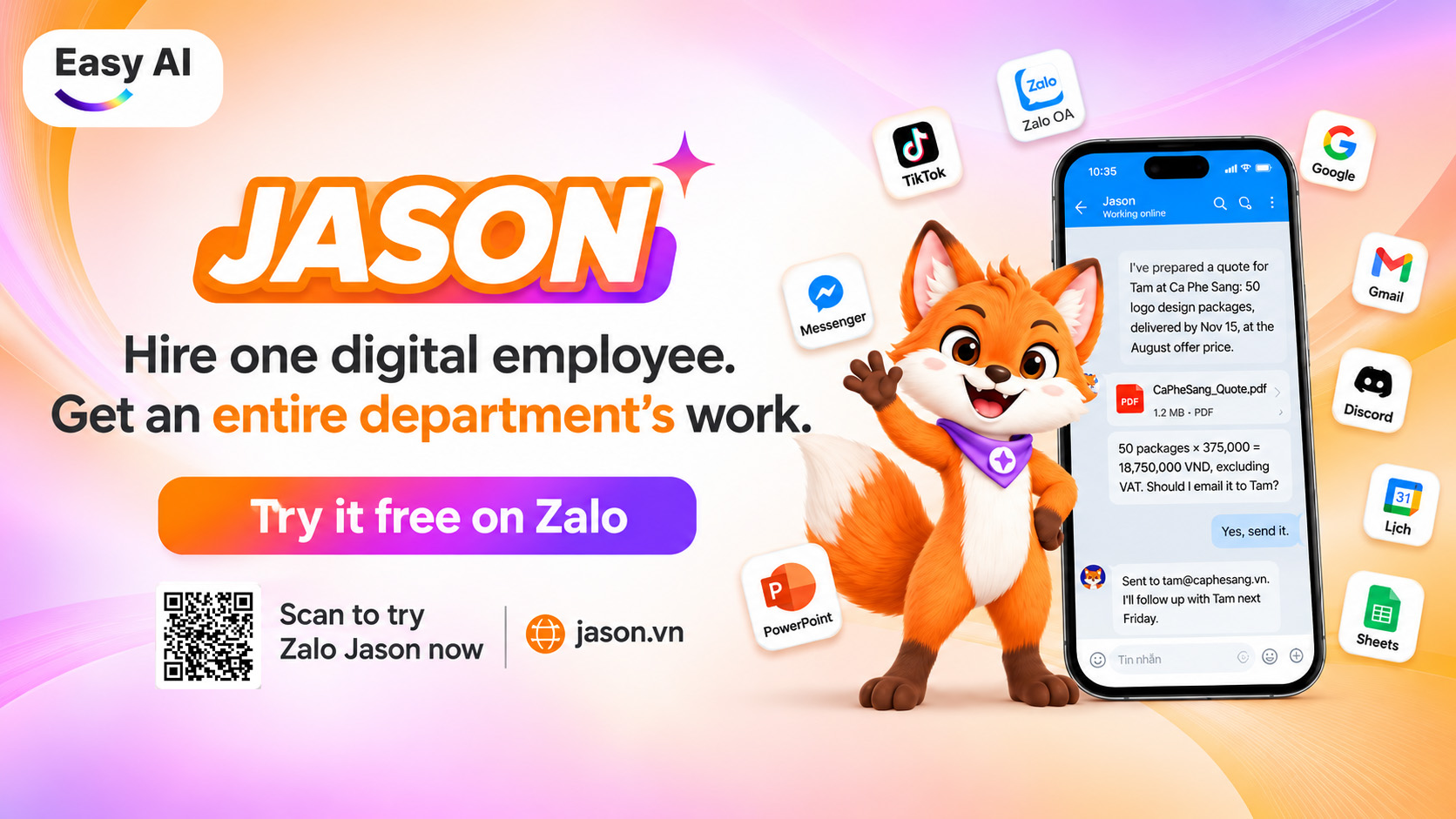
One solution built around this approach is Jason, an AI Employee developed by Easy AI. It enables businesses to assign tasks through Zalo and supported channels, then receive results as completed files, documents, reports, or links.
2. What is an AI Employee?
An AI Employee (AI digital Employee/Digital Worker) is an artificial intelligence system designed to receive work requests, process information, use authorized tools and software, perform relevant digital tasks, and return the results to the person who assigned the work.
Simply put, while an AI chatbot primarily supports communication and answers questions, an AI Employee is designed for a broader role: helping carry out practical work within business processes.
For example, instead of asking AI only how to prepare a revenue report, a user can assign a specific task: compile sales data from Google Sheets, calculate the required metrics, create a report table, and send the results to the work group. In this way, an AI Employee aims to produce an output that can be used directly in the work process, rather than simply providing information.
Key characteristics of AI Employees:
- Accept requests in natural language: Users can assign tasks through text, images, files, or voice messages, depending on the platform’s capabilities.
- Handle multi-step tasks: Analyze requests, receive data, perform tasks, and compile results.
- Work with business tools: Help process documents, spreadsheets, emails, and authorized software.
- Produce tangible outputs: Export Excel, Word, and PDF files, reports, content, or links.
- Support recurring automation: Perform repetitive tasks according to a configured schedule.
One notable aspect is that the AI Employee model expands how businesses can use AI: from helping find information and holding conversations to helping execute work. This also gives businesses a basis for considering how to reallocate resources, reduce repetitive tasks, and give employees more time for work that requires expertise, strategic thinking, and human interaction.
3. How does an AI Employee work in a business?
An AI Employee is typically used through a process with multiple stages, from receiving a request to completing the work and returning the results. Depending on the solution, the process may follow these steps:
Step 1 – Receive the task: The user submits a request through a supported communication platform or application. The input can be a text instruction, an image of a document, an Excel file, a PDF, or a voice message. For example, an accounting employee sends a batch of invoices and asks AI to enter the information into a register.
Step 2 – Analyze the request and data: AI identifies the task’s objective, reads the input data, recognizes the information to be processed, and determines the required output. If information is incomplete or unclear, the system should ask the user for clarification rather than make assumptions.
Step 3 – Perform the task: AI processes the task using supported tools and the accounts and access permissions granted by the business. For example, it can read data from invoices, cross-check information, compile it in Excel, and flag cases with missing data.
Step 4 – Return the results: Once the task is complete, AI sends the results to the person who assigned it as a file, report, content, or link for further use. Important work still requires review and approval by qualified personnel.
Step 5 – Automate recurring work: For tasks with a clear schedule, businesses can set up AI to perform them automatically. For example, every morning at 8 a.m., the system compiles the previous day’s revenue and sends a report to the management group.
This model can reduce manual task assignment and help businesses maintain repetitive operational processes more consistently.
How an AI Employee works in a business
4. What roles can AI Employees take on in a business?
The scope of an AI Employee’s application depends on the solution’s capabilities, the input data, the software it is authorized to use, and how well each workflow fits. Rather than focusing on a single department, businesses can consider applying this model across multiple teams.
| Department | Common tasks | How an AI Employee can help |
|---|---|---|
| Sales | Customer consulting, quotations, appointment scheduling | Prepare quotations, update customer information, record meeting minutes, and send appointment reminders. |
| Marketing | Content, images, video | Write content and scripts, assist with video production, and prepare content. |
| Developer | Log checks, error tracing | Read logs, help analyze errors, fix code, and open and review Pull Requests. |
| Operations/Admin | Data entry, email, reports | Process Excel, Word, and PDF files; compile data; and send recurring reminders. |
| Data & Research | Information searches and cross-checks | Help search, compile, and cross-check data, and present information with supporting evidence. |
Business roles that AI Employees can take on
5. How do AI Employees differ from AI chatbots, AI assistants, and RPA?
Although they all belong to the broader fields of artificial intelligence or automation, AI chatbots, AI assistants, RPA, and AI Employees serve different purposes. Understanding the differences helps businesses choose the right technology for their actual needs.
- AI chatbots are typically used to answer questions, provide product advice, support customers, and share information through conversation.
- AI assistants/Copilots are designed to support individuals in their work, such as writing content, analyzing data, suggesting options, or helping with tasks in an application.
- RPA (Robotic Process Automation) focuses on automating tasks governed by clear rules, usually based on predefined workflows and scripts.
- AI Employees are designed to handle a broader range of tasks: users assign work in natural language, and the system receives the request, uses suitable tools, and returns results for further use.
| Criterion | AI chatbot | AI assistant/Copilot | Traditional RPA | AI Employee |
|---|---|---|---|---|
| Main purpose | Communicate, answer questions, and support customers | Help users with their work | Automate rule-based tasks | Receive and process digital work tasks |
| Input | Questions and messages | Requests and work context | Data and predefined processes | Text, files, images, and work requests |
| How it works | Responds to conversational content | Suggests or assists with tasks | Executes programmed steps | Analyzes the request and coordinates appropriate processing steps |
| Output | Answers | Content or task assistance | Results according to the workflow | Files, documents, reports, and work results |
| Human role | Supervise and handle situations as needed | Interact during the work process | Configure and supervise | Assign work, review, and approve |
These models are not mutually exclusive. An AI Employee solution may use AI Agent capabilities, workflow automation, and other AI tools to complete tasks. What matters is not the name of the technology but its ability to solve real work.
6. Which businesses should implement AI Employees?
Not every business process needs to be, or should be, delegated to artificial intelligence. AI Employees are most effective for workflows that are standardized, have clear input data, and produce verifiable outputs.
The following key industries handle large volumes of manual tasks and are highly compatible with the AI Employee model:
- Logistics & Customs Clearance: Automate the processing of shipping documents (Bill of Lading, Packing List), track shipment status in real time, and accurately reconcile accounts payable with transport partners.
- Accounting & Tax Services: Quickly handle bulk e-invoice data entry, automatically reconcile bank statements, classify income and expense documents, and closely track tax return and tax report filing deadlines.
- Commerce & Distribution (Retail & Distribution): Compile orders from multiple channels (e-commerce platforms, social media, and physical stores), automate the preparation of requested quotations, and track delivery progress with carriers.
- Manufacturing & Factories (Manufacturing): Improve the compilation of timesheets and complex overtime records for hundreds of employees, while automating the generation of periodic production and inventory reports.
- Real Estate: Keep inventory and pricing lists updated in real time, automatically prepare standardized contract and deposit agreement forms, and compile commission spreadsheets for the sales team.
- Finance & Insurance: Help with preliminary reviews and validity checks for loan and claims applications; compile customer identity information (KYC) to reduce waiting times.
- Healthcare & Health Services: Reduce administrative workloads for healthcare staff by compiling medical examination and treatment figures, cross-checking health insurance data, and automatically preparing periodic statistical reports as required.
- Construction & Projects: Help compile tender documents, cross-check technical documents and material quantity schedules, and update construction progress from daily site reports.
Important note on the human-in-the-loop principle: For workflows involving strict legal requirements, high financial risk, or critical strategic decisions, an AI Employee serves as a capable “support function” to prepare, review, and check data. People—managers and experts—retain the highest authority to confirm and approve decisions, and bear final legal responsibility.
Industries that should implement AI Employees to reduce manual tasks and improve business efficiency
7. When does your business really need an AI Employee?
Before expanding the traditional workforce at significant cost, leadership can consider using an AI Employee if the organization faces these operational challenges:
- Administrative workloads are growing: Employees are overwhelmed by manual data entry, bulk document processing, manually compiled reports, and repetitive emails every day.
- Expertise is being wasted: Valuable time from skilled employees is consumed by spreadsheet reconciliation and data checks instead of strategy, creativity, and customer care.
- The need to scale operations: Orders, transactions, or customer volumes surge during seasonal peaks, but the business does not want the burden of recruiting, training, and managing full-time employees for each small task.
- Work needs to be handled outside business hours: The business needs to keep data updated, run overnight reports, compile figures early in the morning, or handle customer requests 24/7 without interrupting employees’ rest.
8. Jason, Easy AI’s AI Employee solution
To bring AI into the practical work of businesses, Easy AI developed Jason, an AI Employee designed to receive and perform tasks through familiar work channels. Rather than requiring users to work in a complex system, Jason lets businesses assign tasks in natural Vietnamese, much like messaging a colleague and assigning them work.
Convenient task assignment through Zalo and other channels
Jason can receive work through personal Zalo accounts, Zalo groups, the Jason app, Messenger, Telegram, Discord, and other platforms. Users can submit work as text, images, files, or voice messages. Once the task is complete, Jason returns the results through an appropriate work channel. In particular, businesses can start using Jason through Zalo without installing additional software to assign tasks this way.
Easy task assignment and delivery through Zalo and other channels, just like messaging a colleague and assigning them work
Support for common business workflows
Jason can handle tasks across areas such as:
- Documents: Read invoices, supporting documents, and contracts; prepare quotations, minutes, and official letters.
- Reports: Compile data, create spreadsheets and charts, and send scheduled reports.
- Meetings: Record meeting content, compile decisions, and list tasks to be completed.
- Content: Write posts, content, slides, and scripts; help create images and short videos.
- Email and Drive: Read and classify emails, draft emails, and manage documents on Google Drive.
- Web: Help build landing pages, event pages, and registration forms. When customers submit their information, you receive it.
Examples of real task requests:
| Request | Results Jason can return |
|---|---|
| Enter 12 invoices into a register | A compiled Excel file with missing information flagged |
| Prepare a quotation for a customer | A PDF quotation based on the information and template provided |
| Compile meeting content | Meeting minutes and a list of owners and deadlines |
| Prepare a revenue report every morning | A compiled report sent on schedule |
| Prepare a TikTok video | A short video created from the input images and content |
Platforms mentioned include Gmail, Google Drive, Google Sheets, Shopee, KiotViet, MISA, GHTK, Haravan, and Sapo. The ability to operate web software depends on access and permissions granted by the business; this list should not be interpreted as a complete list of platforms with official API integrations.
Support for common business workflows and fast delivery of results
Support for work outside business hours
Jason can work 168 hours per week and handle 17 simultaneous chats, including at night, on Sundays, and during public holidays and Tet. Suitable tasks can be scheduled to run without users having to submit a manual request each time.
Support for work around the clock, including at night, on Sundays, and during public holidays and Tet
Easy AI’s approach is to make Jason an additional digital employee on the business team. Jason supports suitable tasks, while human employees continue to handle consulting, quality control, decision-making, and tasks that require expertise or personal accountability.
9. Jason’s operational results after just 7 days on the market
The application potential of an AI Employee should be assessed by the results of its work, rather than only by the number of features introduced. According to operational data provided by Easy AI, Jason recorded notable metrics after its first 7 days on the market:
- Work volume processed: 23,073 tasks were recorded during the first week. This data reflects usage and the volume of tasks processed during the initial launch period.
- Task processing speed: 50% of tasks were completed within 28 seconds, showing that a substantial share of requests can be processed quickly. However, processing time also depends on task complexity, input data, and task type.
- Ability to produce tangible outputs: Approximately 1,800 files were created and sent, including images, videos, slides, spreadsheets, and documents. This is an important point when evaluating an AI Employee solution: results can go beyond conversational content and become outputs that directly support work.
- Support outside business hours: Over 7 days, Jason processed 4,946 tasks outside business hours—that is, after 6 p.m., before 8 a.m., and on weekends. This represents approximately one-third of the total tasks for the week. In other words, 1 in every 3 tasks was completed while employees were off work. Reports that need to be sent early, urgent customer files, and work that comes up on Sunday night can still be handled immediately instead of waiting until the next morning.
- Automation of recurring tasks: 1,540 tasks were performed automatically on a schedule, without users submitting a new request each time. This illustrates how some repetitive work can be turned into an automated process.
Jason’s operational results after just 7 days on the market
Developed by a Vietnamese engineering team, Jason reflects Easy AI’s approach to bringing AI into specific business workflows, with an emphasis on operational efficiency that can be monitored and measured.
>>> Watch the demo video to see how Jason, the AI Employee, helps businesses optimize workflows and cut operational costs.
10. Conclusion
AI Employees are opening up a new way for businesses to organize and perform work. Rather than using AI only to search for information or create content, businesses can gradually bring AI into specific processes, from document processing and data compilation to supporting workflows across multiple departments.
The value of this model lies not only in processing speed but also in its ability to reduce repetitive tasks, make better use of existing resources, and improve operational capacity.
With Jason, Easy AI aims to turn AI into a digital employee that can receive tasks, process them, and return results through familiar communication channels. Businesses can start with a real task, assess the quality of the output, and gradually expand the scope of use.
>>> Instead of starting with a complex AI project, start with a task that takes up your team’s time every day.
Try Jason, the AI Employee developed by Easy AI:
- Try it free through Zalo:
- Learn about the product
- Access the Jason app
Topics
FAQ
Recommended for you